CONFIGURE YOUR DEVICE
Customer Pole Display CD-220 VFD 16
4.4.2 From Your Font File
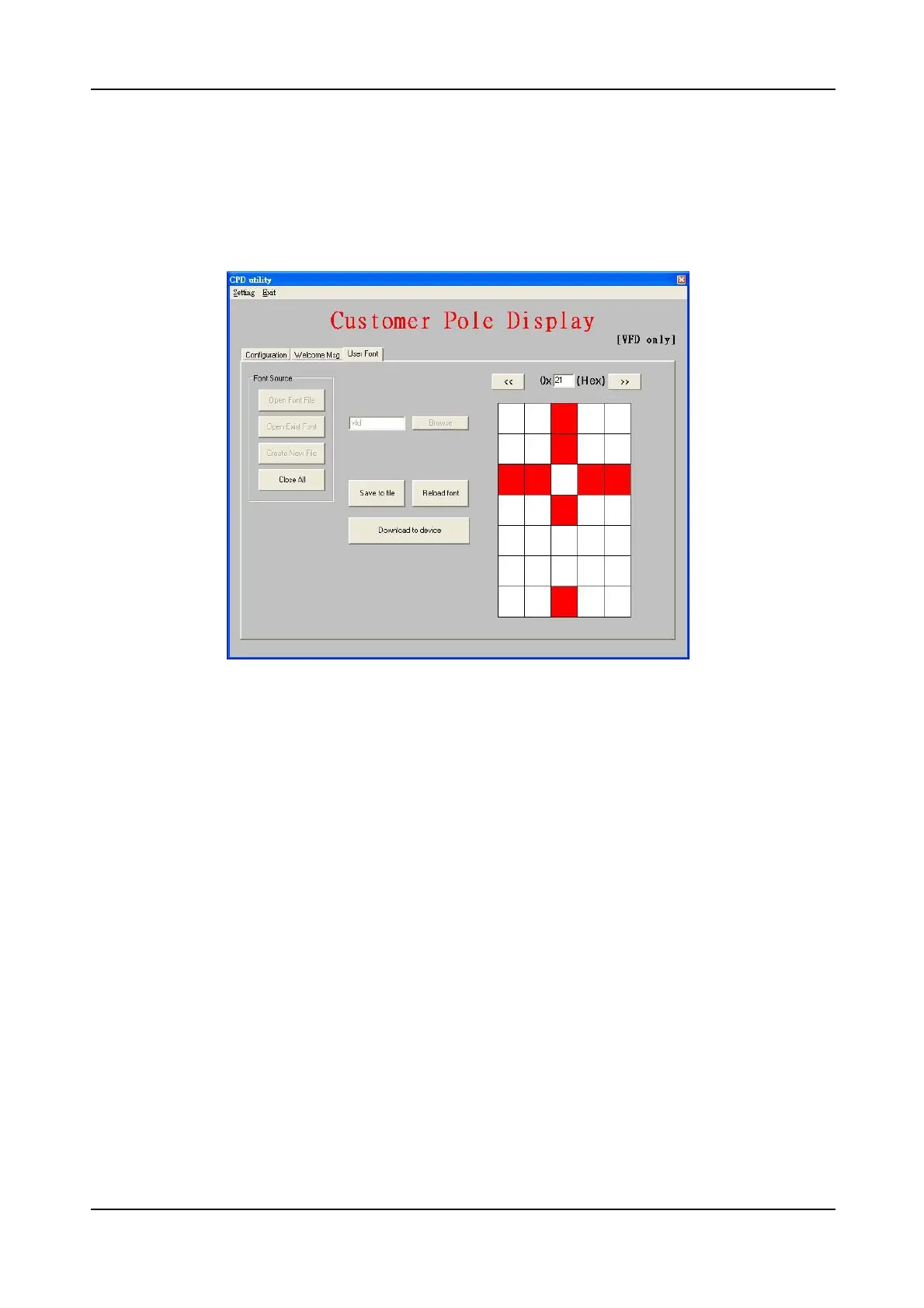
You can modify previously edited and saved font file. Press “Open Font File”
button the following dialog will be shown. After select a file, the font contained in
that file will be loaded into memory. Then, you can edit font, save font to a file or
download the font to device.
4.4.3 From your scratch
If you want to build your font from scratch, press “Create New File” button to
create an empty font. After finishing your edit, you can save font to a file or
download the font to device. It is a difficult job to build font from zero. It is
recommended to build your font from existing font.


 To Next Page