INSTALLATION
Customer Pole Display CD-220 VFD 8
3.2 Configuration
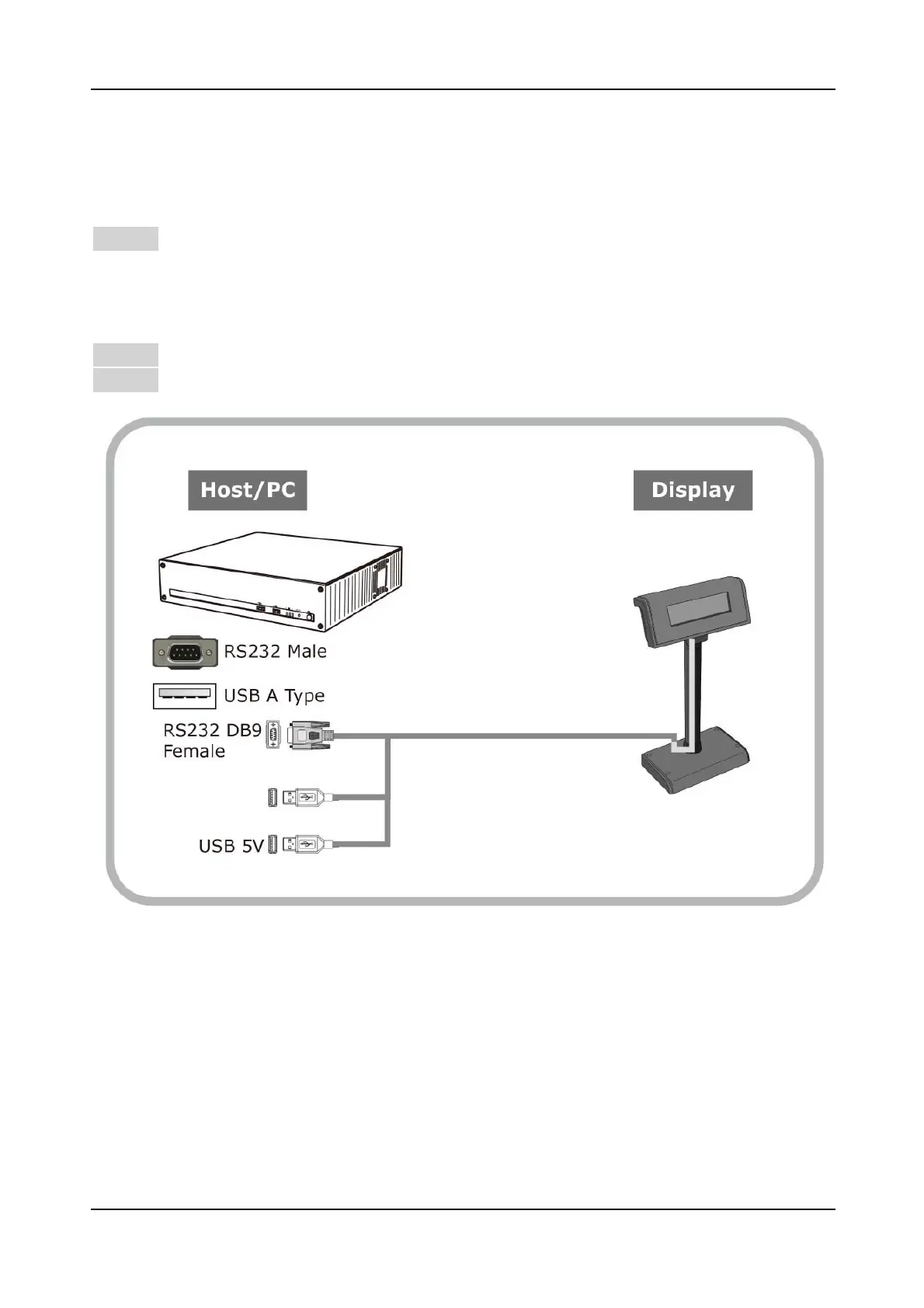
3.2.1 Dual Interface Cable Connection
Step 1Turn OFF the system power
Before you start the installation, ensure that the host computer and the CD-220
VFD Customer Pole Display are powered off.
Step 2Connect all the dual Interface cable
Step 3 Start the host PC and switch on the display.


 To Next Page