CONFIGURE YOUR DEVICE
Customer Pole Display CD-220 VFD 14
4.2.4 Parity Check Selection
Parity Check Default
None-parity *
Even-parity
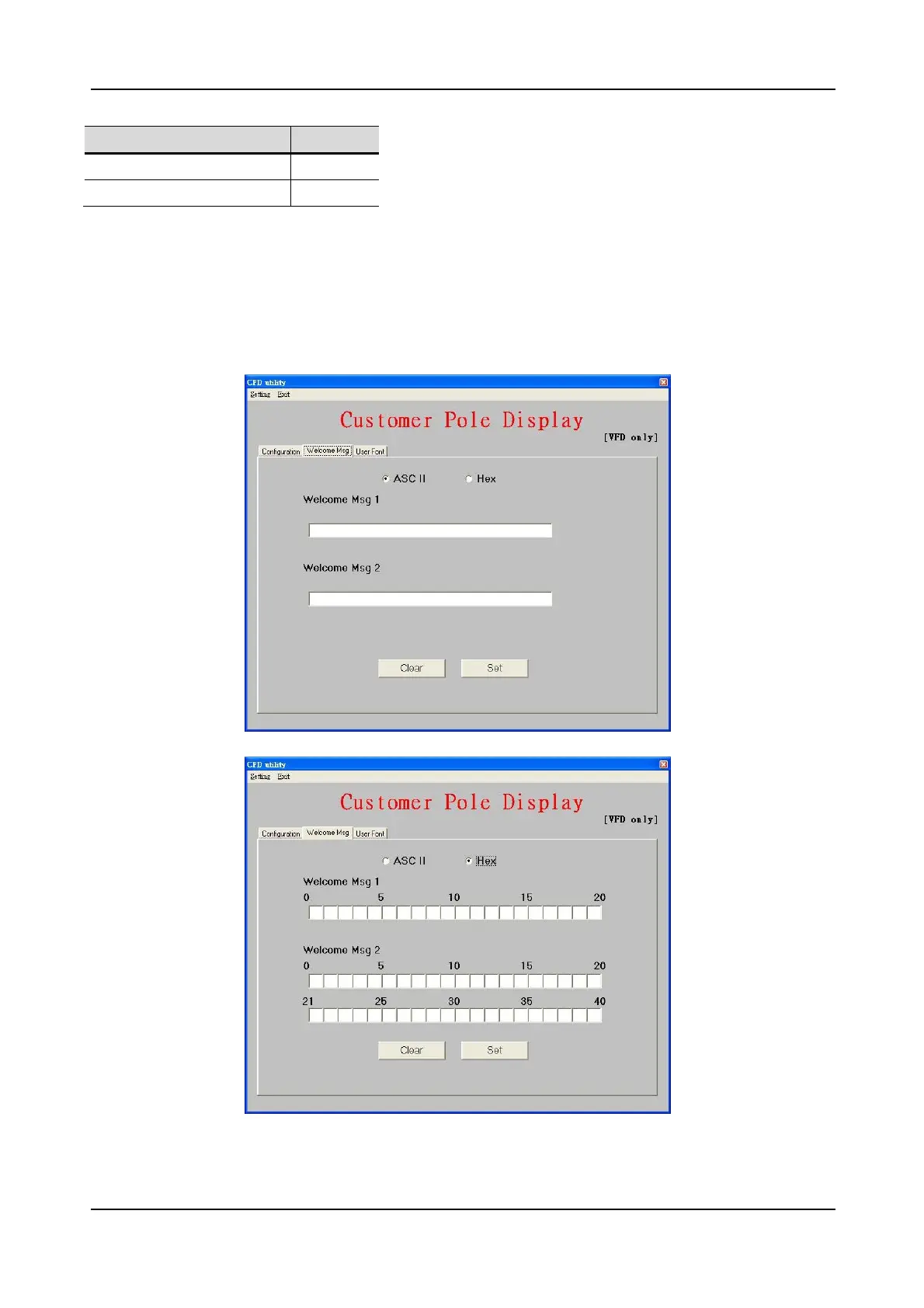
4.3 Define Welcome Message
You can define your own message in the display. The Msg1 will blink on upper
line while the Msg2 is displayed on lower line in marquee status.
You can type the character on keyboard in ASCII mode or type others in Hex
mode. Press Set button to send the messages to the machine.


 To Next Page