CONFIGURE YOUR DEVICE
Customer Pole Display CD-220 VFD 12
4.2 Configure System Parameters
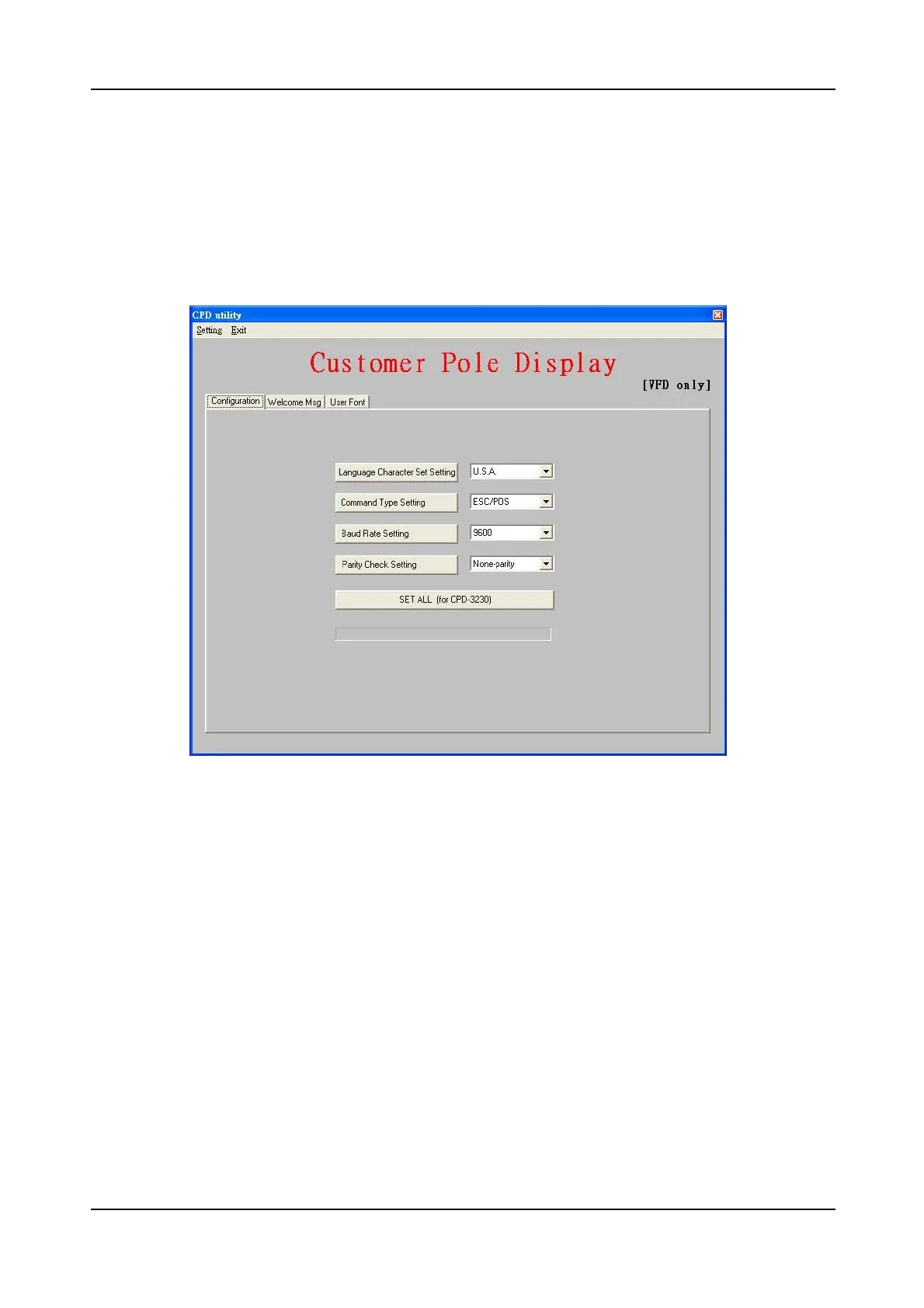
There are three pages on the main dialog. The first one is the Configuration Page.
You can select desired character type, command set and baud rate of RS-232
interface. After all items are set to desired condition, press SET button to send all
the settings to your device. These settings will be stored on the non-volatile
memory. Every time when you start the device, these settings will be retrieved
from non-volatile memory.


 To Next Page