Garmin aera 660 Pilot’s Guide
190-02017-20 Rev. E
127
Hazard Avoidance
Overview Navigation Flight Planning Hazard Avoidance Additional Features Appendices Index
DISPLAYING TRAFFIC DATA
TIS-A traffic can be displayed on the Navigation Map.
Adjusting TIS-A settings on the Navigation Map:
1)
From the Main Menu, touch Map > Menu > Set Up.
2)
Touch the Dedicated Page Icon and touch the Map group.
3)
Touch the Traffic button and touch the desired setting (Off, Auto, or
range settings).
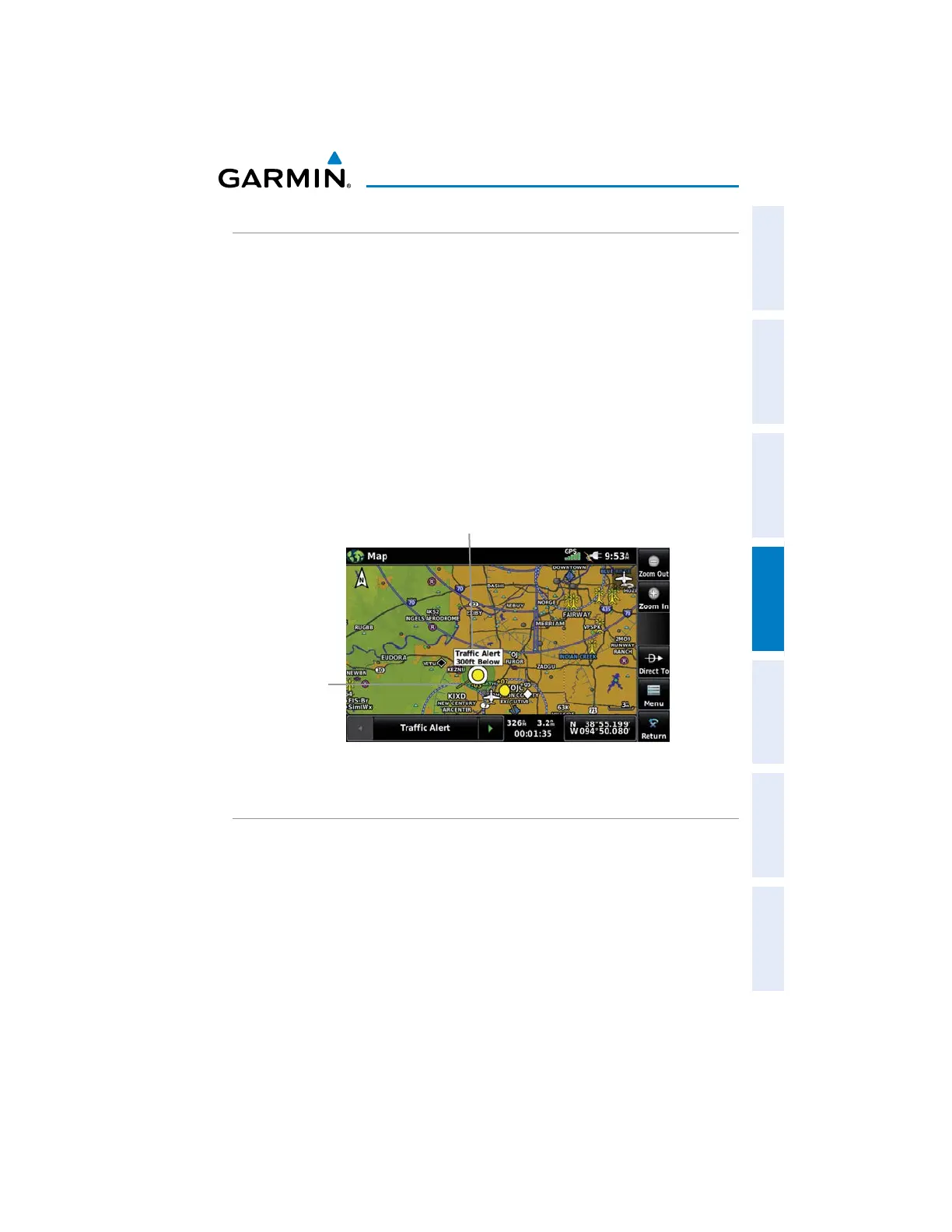
Displaying TIS-A information using the map pointer:
With traffic displayed on the Navigation Map, touch the desired TIS-A
symbol on the map. The traffic range and altitude separation are displayed.
TIS-A (Navigation Map)
Traffic Range
and Altitude
Separation using
Map Pointer
Traffic
Ground
Track
DATA LINK TRAFFIC
ADS-B (Automatic Dependent Surveillance-Broadcast) is a surveillance technology
deployed across the United States as the cornerstone of the FAA’s Next Generation Air
Transportation System (NextGen). ADS-B enables improved surveillance services, both
air-to-air and air-to-ground, especially in areas where radar is ineffective due to terrain
or where it is impractical or cost prohibitive. Initial applications of air-to-air ADS-B are
for “advisory” use only, enhancing a pilot’s visual acquisition of other nearby ADS-B
equipped aircraft either when airborne or on the airport surface.


 To Next Page