Replacing the Memory Card
You can replace the memory card to increase the storage capacity or to replace a card that has reached the
end of its useful life. The camera requires a microSD memory card from 32 to 256 GB with a speed rating of
Class 10 or higher.
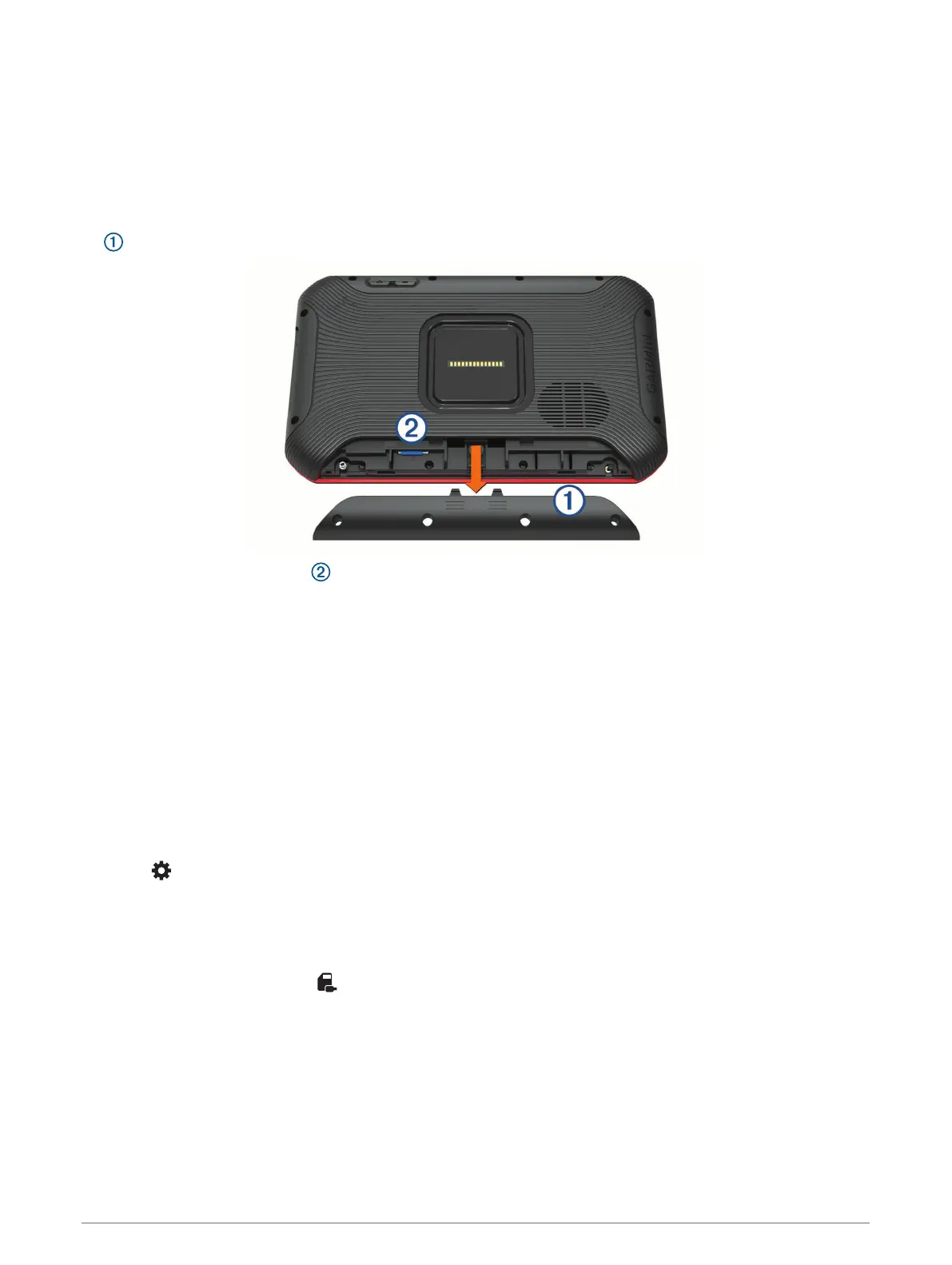
You can replace the memory card from either of the two memory card slots located on the device (Device
Overview, page 9).
1 To replace the memory card under the back panel, press on the two marked areas, and slide the back panel
down to open it.
2 Locate the memory card slot .
3 Press the existing memory card in until it clicks, and release it.
The existing memory card ejects from the slot.
4 Remove the existing card from the slot
5 Insert the new memory card into the slot.
6 Press the card in until it clicks.
7 Replace the panel, and slide it upward until the panel clicks into place.
Formatting the Memory Card
The device requires a memory card formatted using the FAT32 file system. You can use the device to format
your card using this file system.
You must format a brand new memory card if it is not formatted using the FAT32 file system.
NOTE: Formatting the memory card deletes all data on the card.
1 Select > Device Reset > Format memory card.
2 Select ERASE & FORMAT.
Deleting Videos from the Memory Card
You can delete videos from the device to clear space on the installed memory card.
1 From the home screen, select .
2 Select an option:
• To automatically delete all saved videos, select AUTO DELETE.
• To select the videos you want to delete, select SELECT VIDEOS.
3 If necessary, select the videos you want to delete, and select DELETE.
Appendix 27









 To Next Page