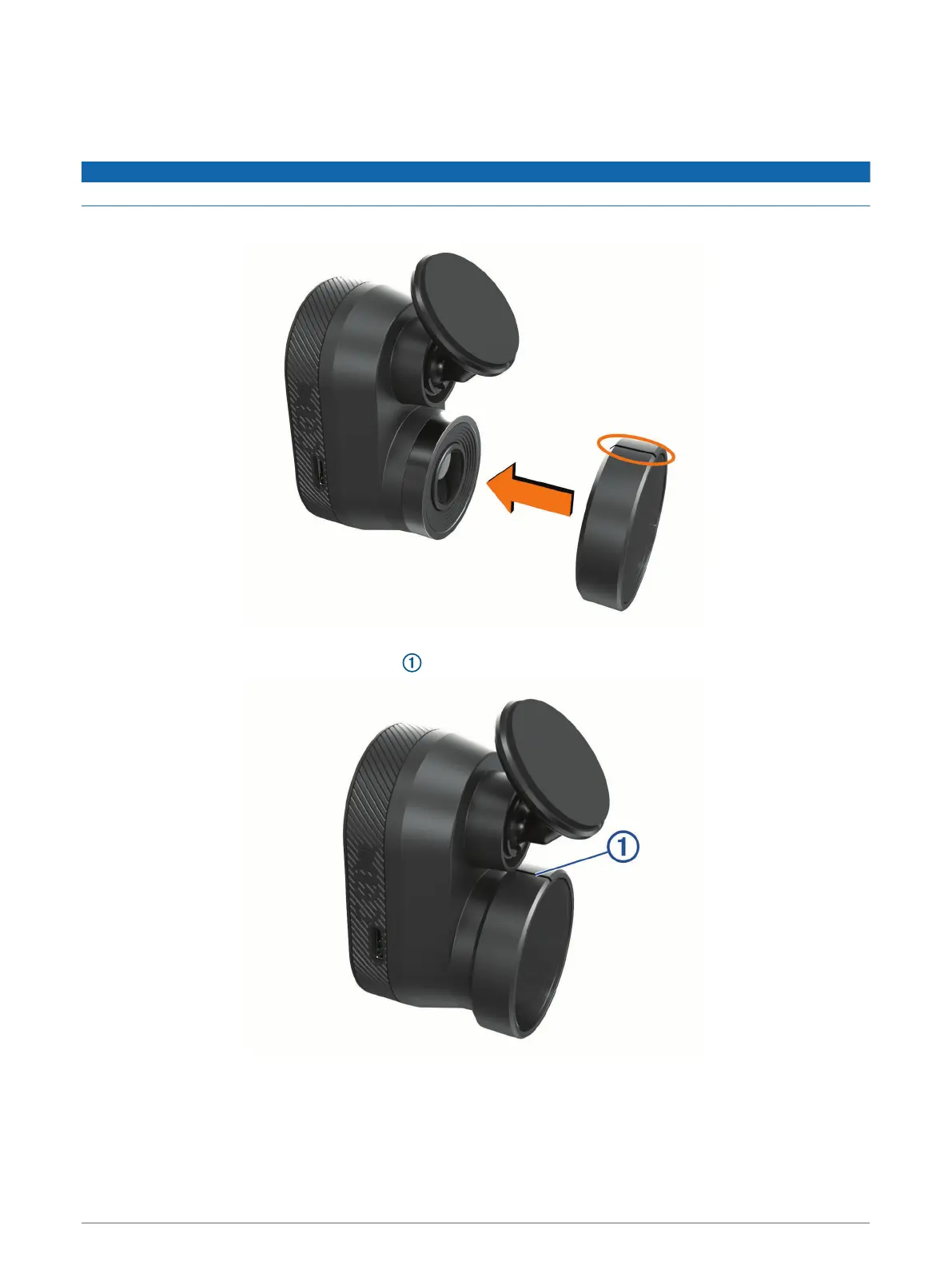
Installing the Polarizing Filter on the Camera
The camera comes with a polarizing filter pre-installed over the lens to help reduce glare from your windshield.
If you remove the polarizing filter, you can re-install it.
NOTICE
Do not rotate the lens cover while it is installed on the camera.
1 Position the filter so the line on the outer rim is facing up.
2 Place the filter firmly onto the camera lens.
3 Verify the line on the outer rim of the filter is facing up and the Garmin logo is right side up.
Removing the Polarizing Filter from the Camera
1 Firmly grip the camera in one hand and the polarizing filter in the other hand.
2 Pull the filter away from the camera.
Installation 3









 To Next Page