Mounting and Powering the Garmin DriveCam Device in Your Vehicle
WARNING
This product contains a lithium-ion battery. To prevent the possibility of personal injury or product damage
caused by battery exposure to extreme heat, store the device out of direct sunlight.
Before you use your device on battery power, you should charge it.
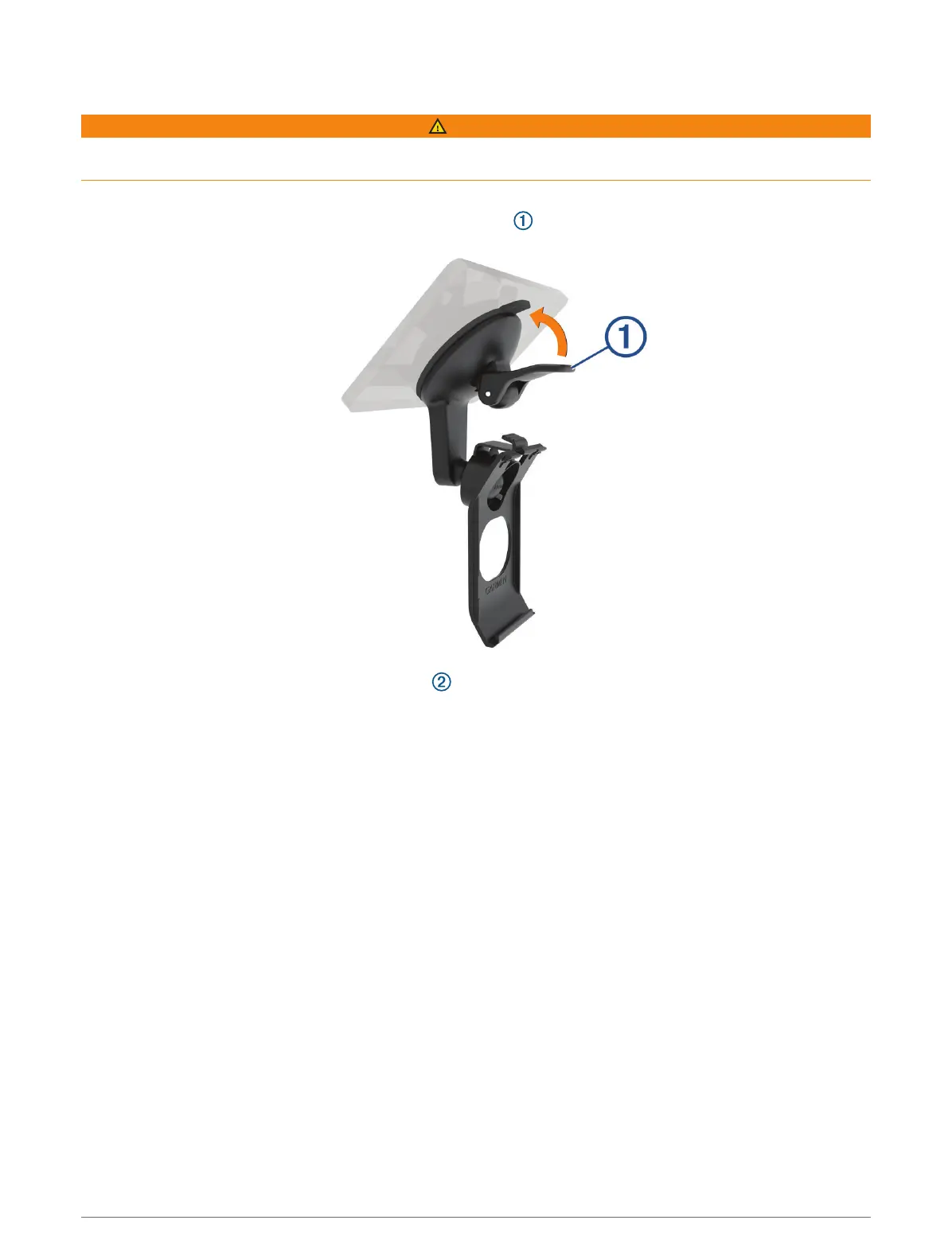
1 Press the suction cup to the windscreen, and flip the lever back toward the windscreen.
2 Plug the vehicle power cable into the USB port on the device.
Getting started 3





 To Next Page