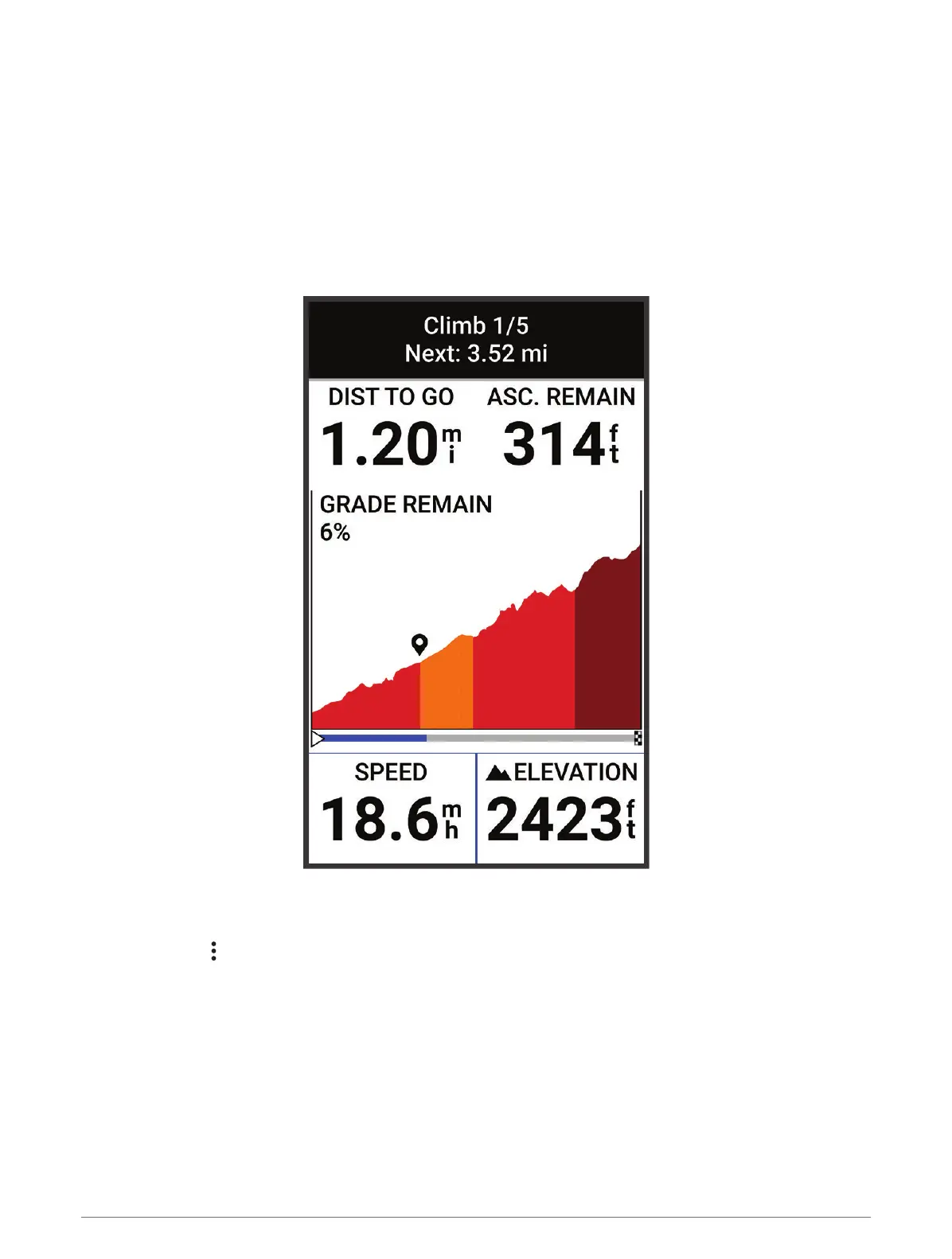
Using ClimbPro
The ClimbPro feature helps you manage your effort for the upcoming climbs on a course. You can view details
about the climbs, including when they occur, average gradient, and total ascent. The climb categories, based on
length and gradient, are indicated by color.
TIP: After your ride, you can view the climb splits in the ride history.
1 Enable the ClimbPro feature for the activity profile (Updating Your Activity Profile, page 36).
2 Review the climbs and course details for the course (Viewing Course Details, page 13).
3 Start following a saved course (Courses, page 10).
At the start of a climb, the ClimbPro screen appears automatically.
After you save the ride, you can view the climb splits in your ride history.
Course Options
Select Courses > .
Turn Guidance: Enables or disables turn prompts.
Off Course Warnings: Alerts you if you stray from the course.
Search: Allows you to search for saved courses by name.
Sort: Allows you to sort saved courses by name, distance, or date.
Delete: Allows you to delete all or multiple saved courses from the device.
14 Navigation



 To Next Page