Device Information
Charging the Device
NOTICE
To prevent corrosion, thoroughly dry the USB port, the weather cap, and the surrounding area before charging or
connecting to a computer.
The device is powered by a built-in lithium-ion battery that you can charge using a standard wall outlet or a USB
port on your computer.
NOTE: The device will not charge when outside the approved temperature range (Specifications, page 49).
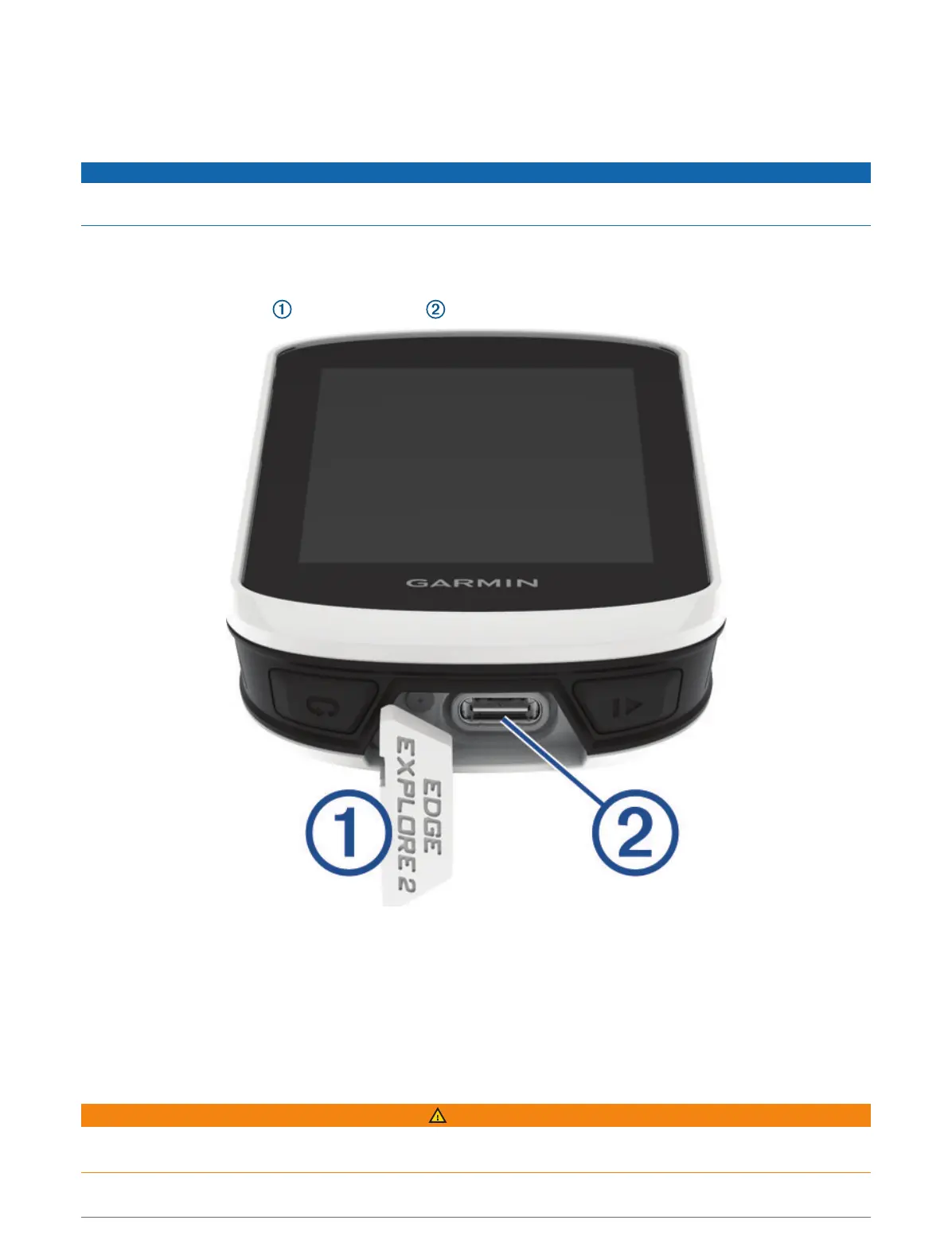
1 Pull up the weather cap from the USB port .
2 Plug the small end of the USB cable into the USB port on the device.
3 Plug the large end of the USB cable into an AC adapter or a computer USB port.
4 Plug the AC adapter into a standard wall outlet.
When you connect the device to a power source, the device turns on.
5 Charge the device completely.
After you charge the device, close the weather cap.
About the Battery
WARNING
This device contains a lithium-ion battery. See the Important Safety and Product Information guide in the product
box for product warnings and other important information.
Device Information 43



 To Next Page