EasyManua.ls Logo

Garmin EDGE EXPLORE 2 - Page 66

Garmin EDGE EXPLORE 2
87 pages
Print Icon
To Next Page IconTo Next Page
To Previous Page IconTo Previous Page
Loading...
I
Edge
Explore
2
Quick
Start
Manual
Introduction
&WARNING
See
the
Important
Safety
and
Product
Information
guide
in
the
product
box
for
product
warnings
and
other
important
information.
Always
consult
your
physician
before
you
begin
or
modify
any
exercise
program.
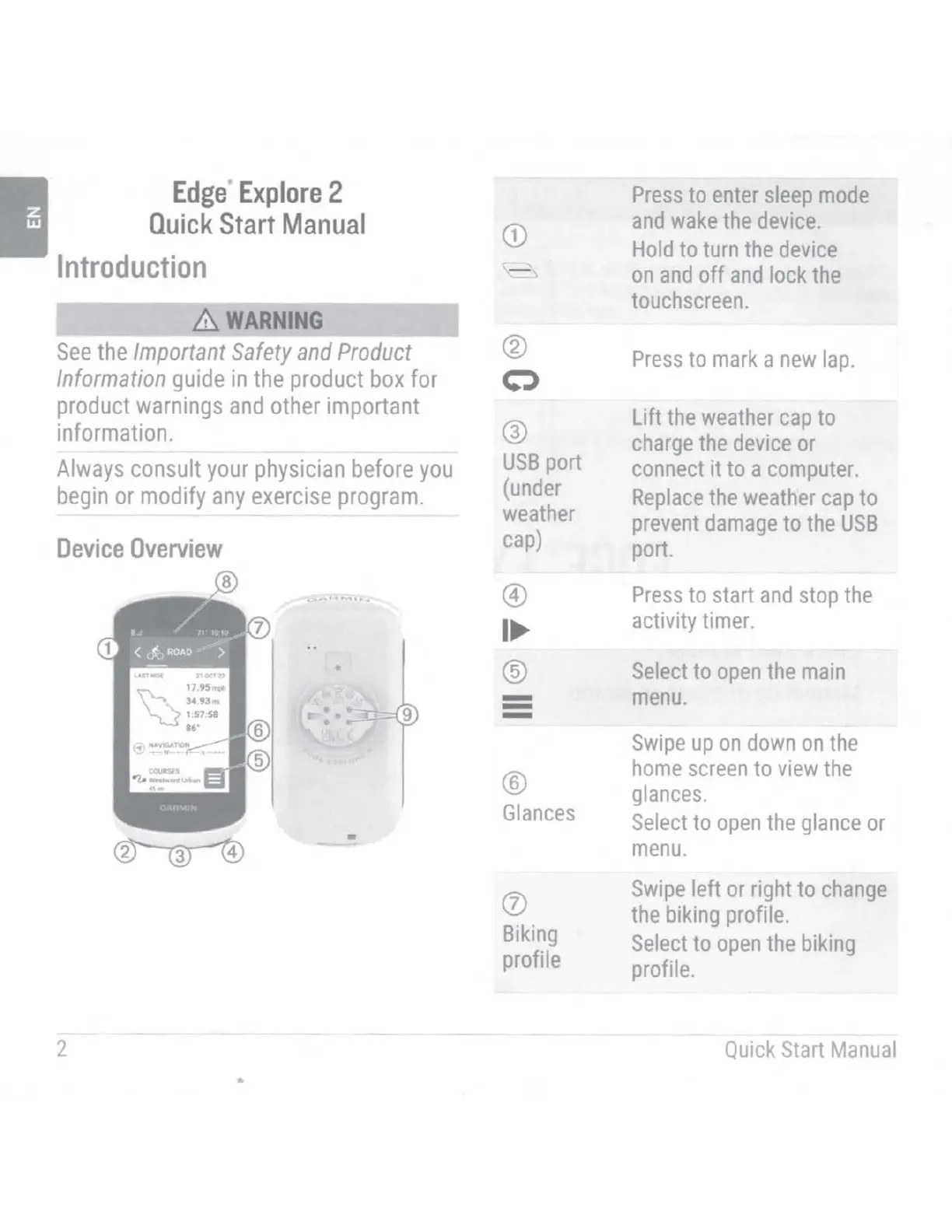
Device
Overview
~--
........
1
....
-
2
CD
@
c::>
@
USB
port
(under
weather
cap)
©
I
@
-
-
-
®
Glances
(J)
Biking
profile
Press
to
enter
sleep
mode
and
wake
the
device.
Hold
to
turn
the
device
on
and
off
and
lock
the
touchscreen.
Press
to
mark
a
new
lap.
Lift
the
weather
cap
to
charge
the
device
or
connect
it to a
computer.
Replace
the
weather
cap
to
prevent
damage
to
the
USB
port.
Press
to
start
and
stop
the
activity
timer.
Select
to
open
the
main
menu.
Swipe
up
on
down
on
the
home
screen
to
view
the
glances.
Select
to
open
the
glance
or
menu.
Swipe
left
or
right
to
change
the
biking
profile.
Select
to
open
the
biking
profile.
Quick
Start
Manual

Table of Contents

Other manuals for Garmin EDGE EXPLORE 2

Related product manuals