11
Menu Mode
Training Assistant:
Virtual Partner
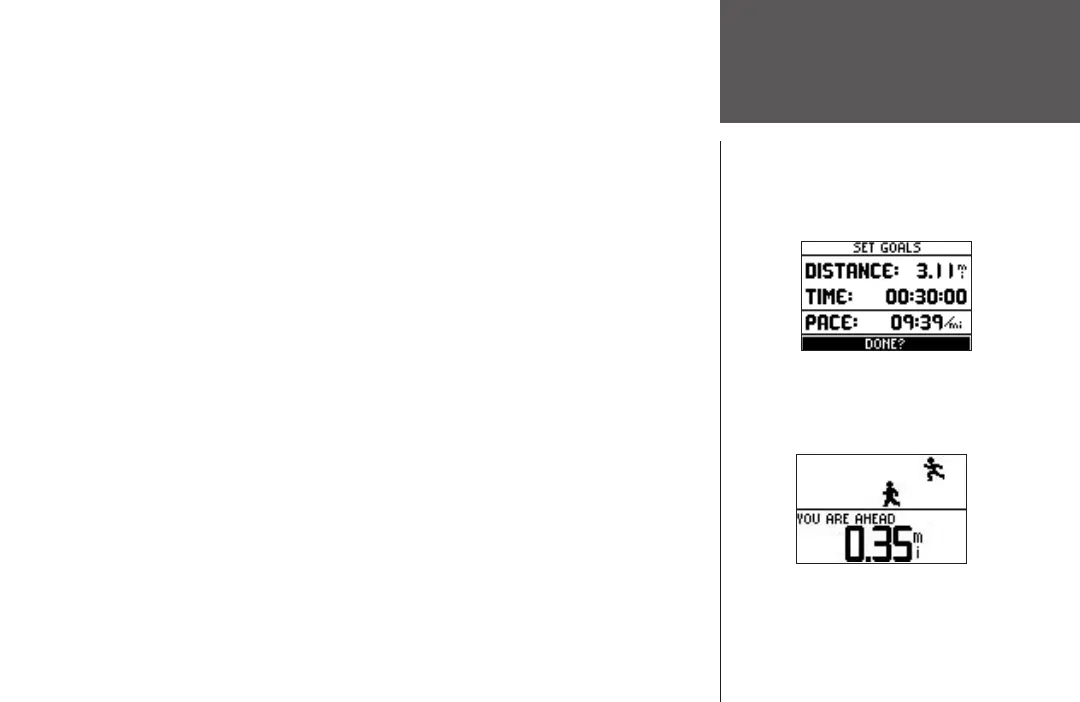
To set Distance & Time Goals:
1. Highlight ‘TRAINING ASSISTANT’ in the Menu Mode and press ENTER.
2. Highlight ‘VIRTUAL PARTNER’ and press ENTER.
3. Highlight ‘SET DISTANCE &TIME’ and press
ENTER.
4. With ‘DISTANCE’ highlighted, press ENTER.
5. Press the DOWN
or UP button to select the distance of your workout and press ENTER to
select. You can choose ‘CUSTOM’ to set your own distance.
6. Press the DOWN button to highlight the ‘TIME’ field and press
ENTER.
7. Press the DOWN or UP button to select the total time of your workout and press ENTER
to select. You can choose ‘CUSTOM’ to set your own time.
8. Highlight ‘DONE’ and press
ENTER.
9. When you are ready to begin your workout press the START button.
To set Time & Pace/Speed:
1. Highlight ‘TRAINING ASSISTANT’ in the Menu Mode and press ENTER.
2. Highlight ‘VIRTUAL PARTNER’ and press ENTER.
3. Highlight ‘SET TIME & PACE (SPEED)’ and press
ENTER.
4. With ‘TIME’ highlighted, press ENTER.
5. Press the DOWN
or UP button to select the total time of your workout and press ENTER
to select. You can choose ‘CUSTOM’ to set your own time.
6. Press the DOWN button to highlight the ‘PACE (SPEED)’ field and press
ENTER.
(continued on next page)












 To Next Page