Forerunner
®
301 Owner’s Manual 27
VIEWING WORKOUT HISTORY
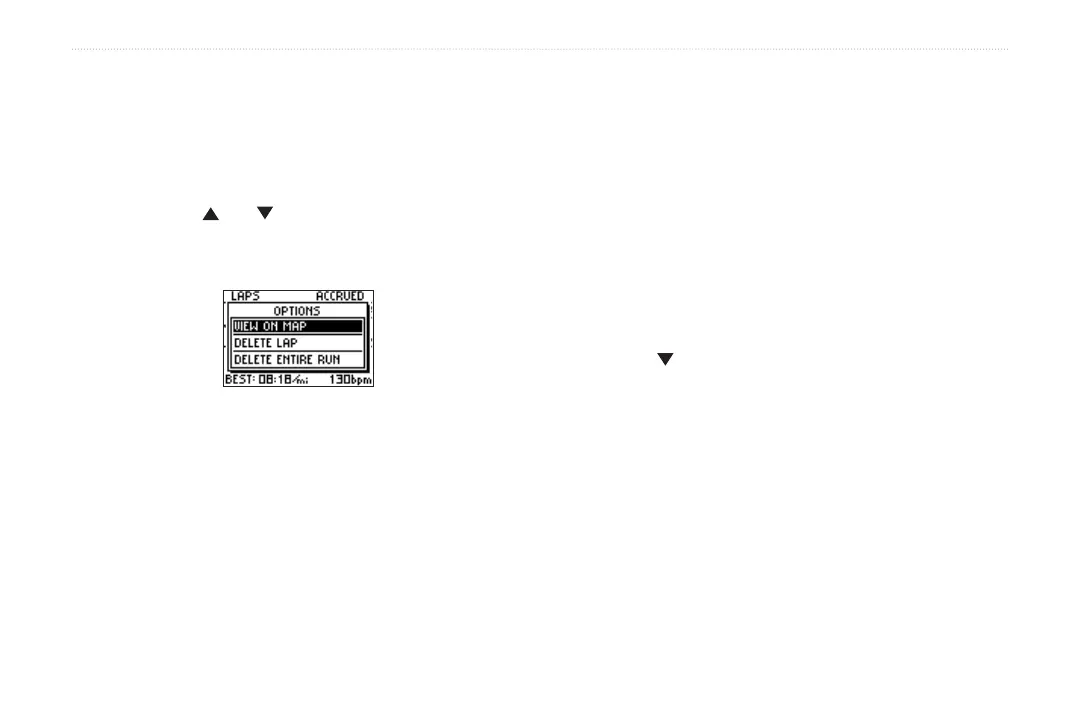
To view laps on a map:
1. While viewing details for a workout, highlight View
Laps and press enter.
2. Highlight a lap in the list and press enter.
Then highlight View on Map and press enter.
3. Press the and arrows to zoom in and out on
the map. When you are finished viewing the lap,
press enter to view the next lap. Press mode to exit.
To delete laps from a run:
1. While viewing details for a workout, highlight View
Laps and press enter.
2. Highlight the lap you want to delete and press enter.
Then highlight Delete Lap and press enter.
3. Highlight Yes and press enter to delete the lap.
To delete a workout:
1. While viewing details for a workout, highlight View
Laps and press enter.
2. Highlight a lap in the list and press enter. Then
highlight Delete Entire Run and press enter.
3. Highlight Yes and press enter to delete the workout.
To view history by weeks:
1. Press mode to access Menu mode. Then highlight
History and press enter.
2. Highlight By Week and press enter.
3. Press to scroll through the list of weeks. As you
scroll, workout totals for each week appear below
the list of workouts.
4. Highlight a week and press enter to view the
workouts in that week by day.



 To Next Page