28 Forerunner
®
301 Owner’s Manual
VIEWING WORKOUT HISTORY
To view history totals:
1. Press mode to access Menu mode. Then select Run
History (Bike History or Other History).
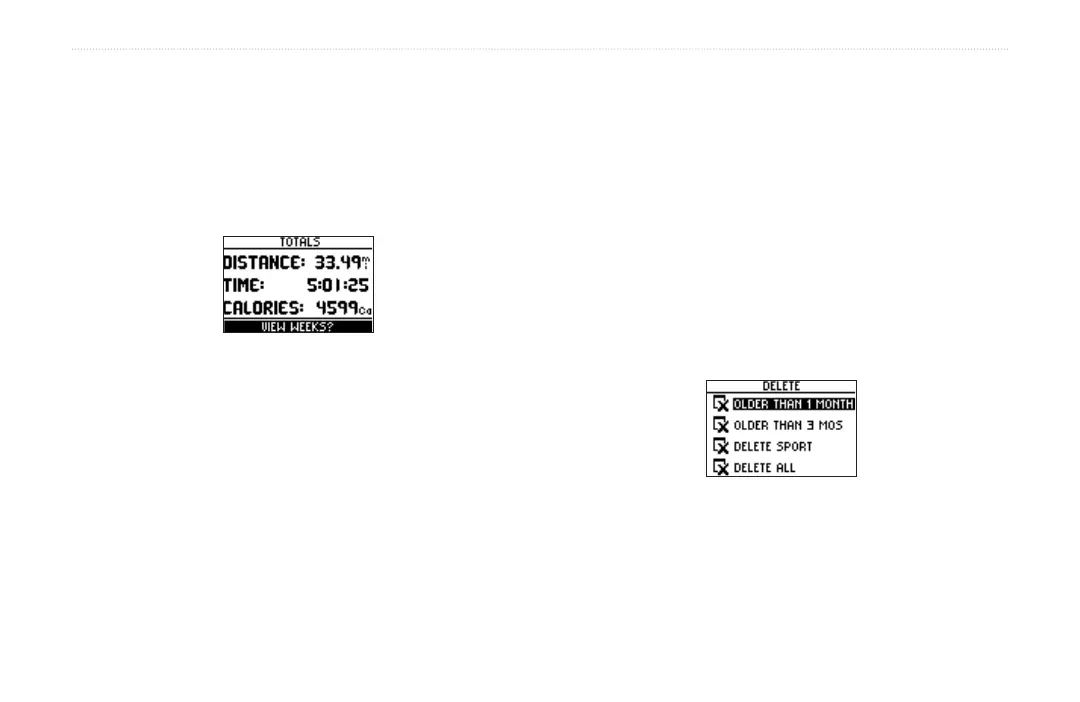
2. Highlight History Totals and press enter. Totals
appear for distance, time, and calories for all of your
saved workouts.
3. To view history by weeks, highlight View Weeks and
press enter.
To delete old workout history:
1. Press mode to access Menu mode. Then select Run
History (Bike History or Other History).
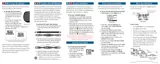
2. Highlight Delete... and press enter.
3. Select an option to delete old workouts.
• To delete all workouts in a sport, select Delete
Sport. Then select a sport.
• To delete all workouts, select Delete All. This
option deletes all history from all sports.
4. Highlight Yes and press enter to delete the
workouts.


 To Next Page