Status Icons
The status icons appear when you start an activity. For outdoor activities, the status bar turns green when GPS
is ready. A flashing icon means the device is searching for a signal. A solid icon means the signal was found or
the sensor is connected.
Smartphone connection status
Heart rate status
Alarm status
Foot pod status
Speed and cadence sensor status
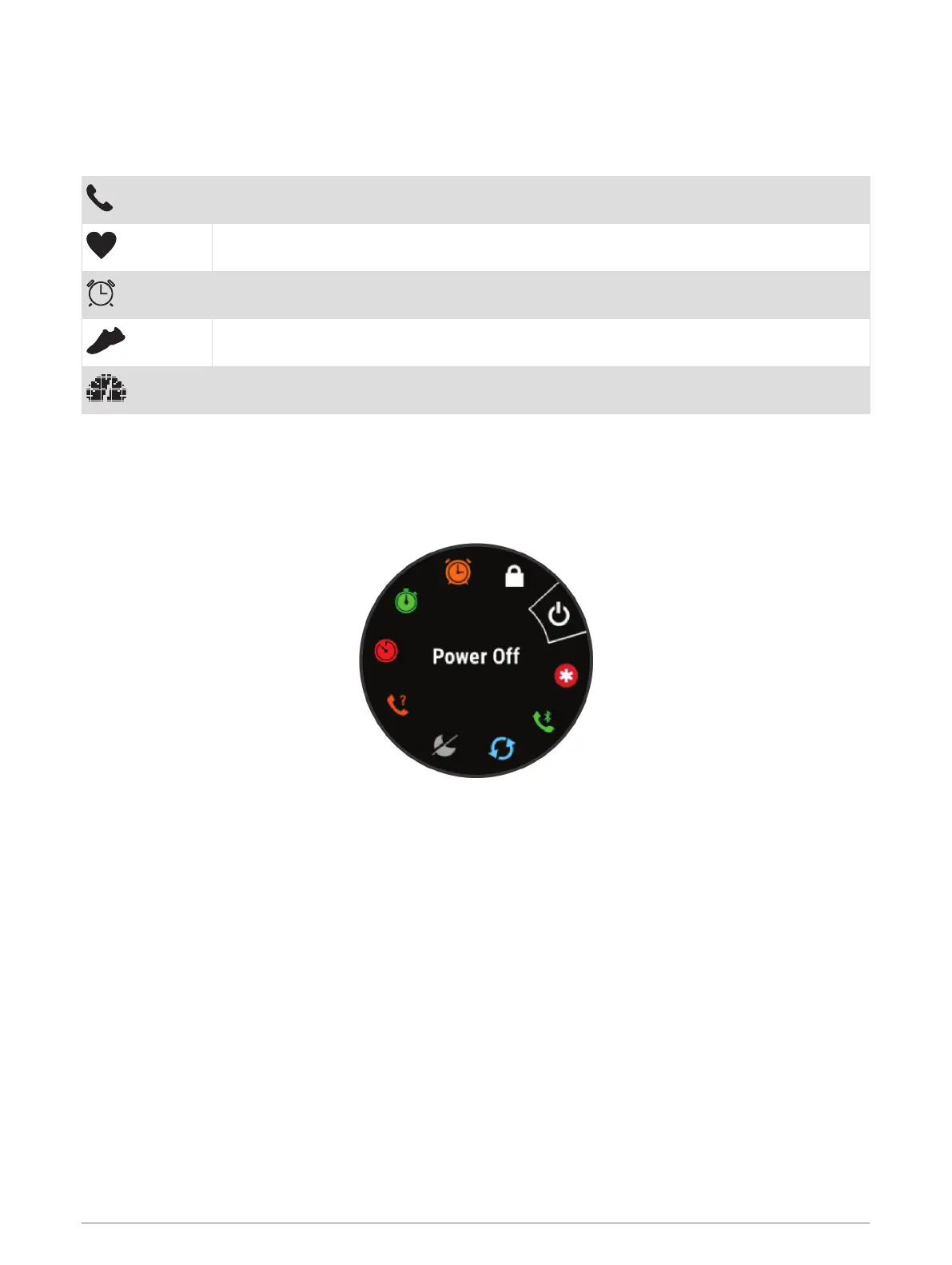
Viewing the Controls Menu
The controls menu contains options, such as turning on do not disturb mode, locking the keys, and turning the
device off.
1 From any screen, hold LIGHT.
2 Select UP or DOWN to scroll through the options.
Setting Up Your Watch
To take full advantage of the Forerunner features, complete these tasks.
• Pair the Forerunner device with your smartphone using the Garmin Connect
™
app (Pairing Your Smartphone
with Your Device, page 25).
• Set up safety features (Safety and Tracking Features, page 29).
Activities and Apps
Your device can be used for indoor, outdoor, athletic, and fitness activities. When you start an activity, the
device displays and records sensor data. You can save activities and share them with the Garmin Connect
community.
You can also add Connect IQ
™
activities and apps to your device using the Connect IQ app (Connect IQ Features,
page 29).
For more information about activity tracking and fitness metric accuracy, go to garmin.com/ataccuracy.
2 Activities and Apps















 To Next Page