START · STOP
• Press to start and stop the activity timer.
• Press to choose an option or to acknowledge a message.
BACK
• Press to return to the previous screen.
• Press to record a lap, rest, or transition during an activity.
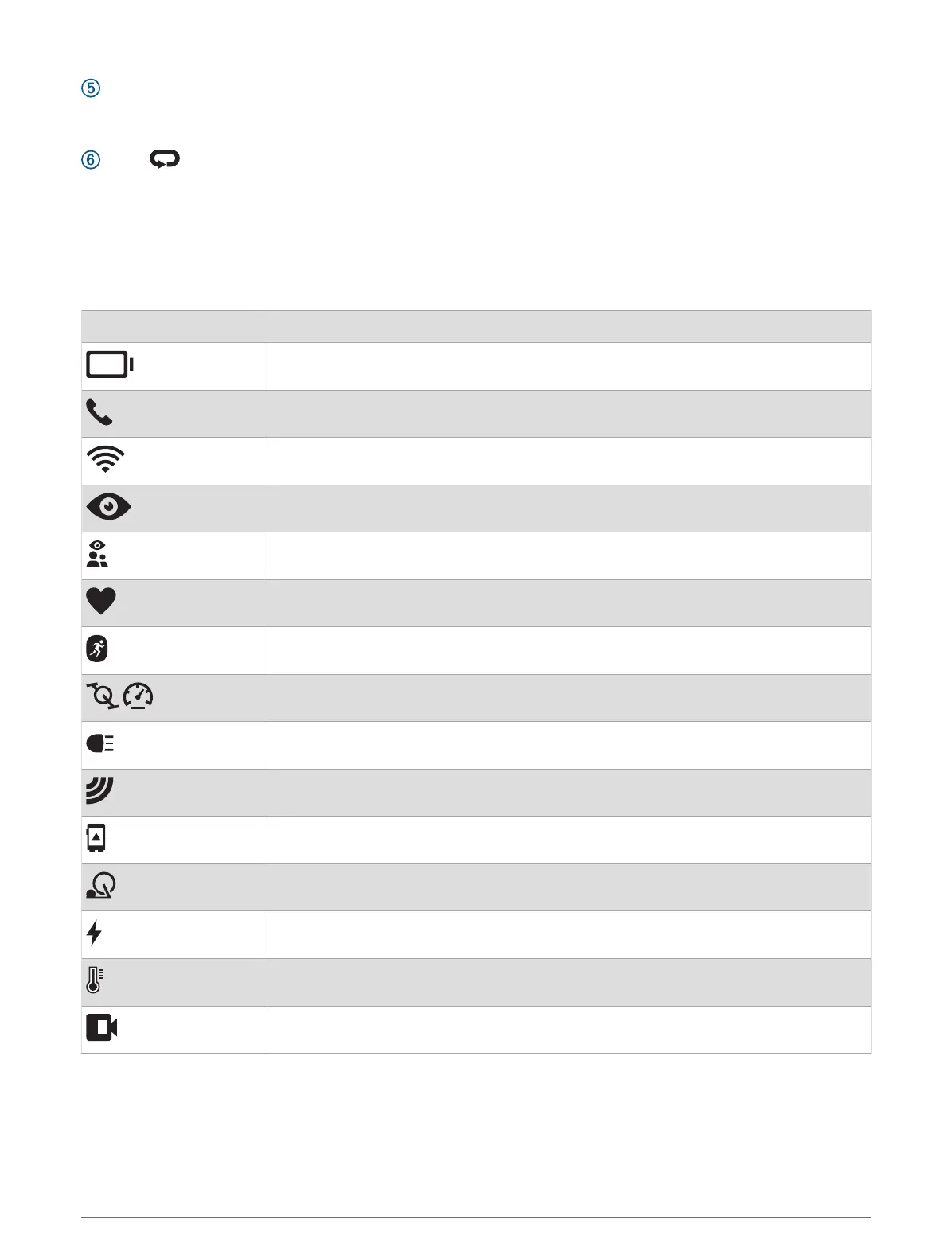
GPS Status and Status Icons
For outdoor activities, the status bar turns green when GPS is ready. A flashing icon means the watch is
searching for a signal. A solid icon means the signal was found or the sensor is connected.
GPS GPS status
Battery status
Phone connection status
Wi‑Fi technology status
LiveTrack status
GroupTrack status
Heart rate status
Running Dynamics Pod status
Speed and cadence sensor status
Bike lights status
Bike radar status
Extended display mode status
Smart trainer status
Power meter status
tempe
™
sensor status
VIRB
®
camera status
2 Introduction















 To Next Page