Starting a PacePro Plan
Before you can start a PacePro plan, you must download a plan from your Garmin Connect account.
1 Press START.
2 Select an outdoor running activity.
3 Hold .
4 Select Training > PacePro Plans.
5 Select a plan.
6 Press START.
7 Select an option:
• Select Use Plan > to enable course navigation and start the plan.
• Select Map to preview the course.
8 Press START to start the activity timer.
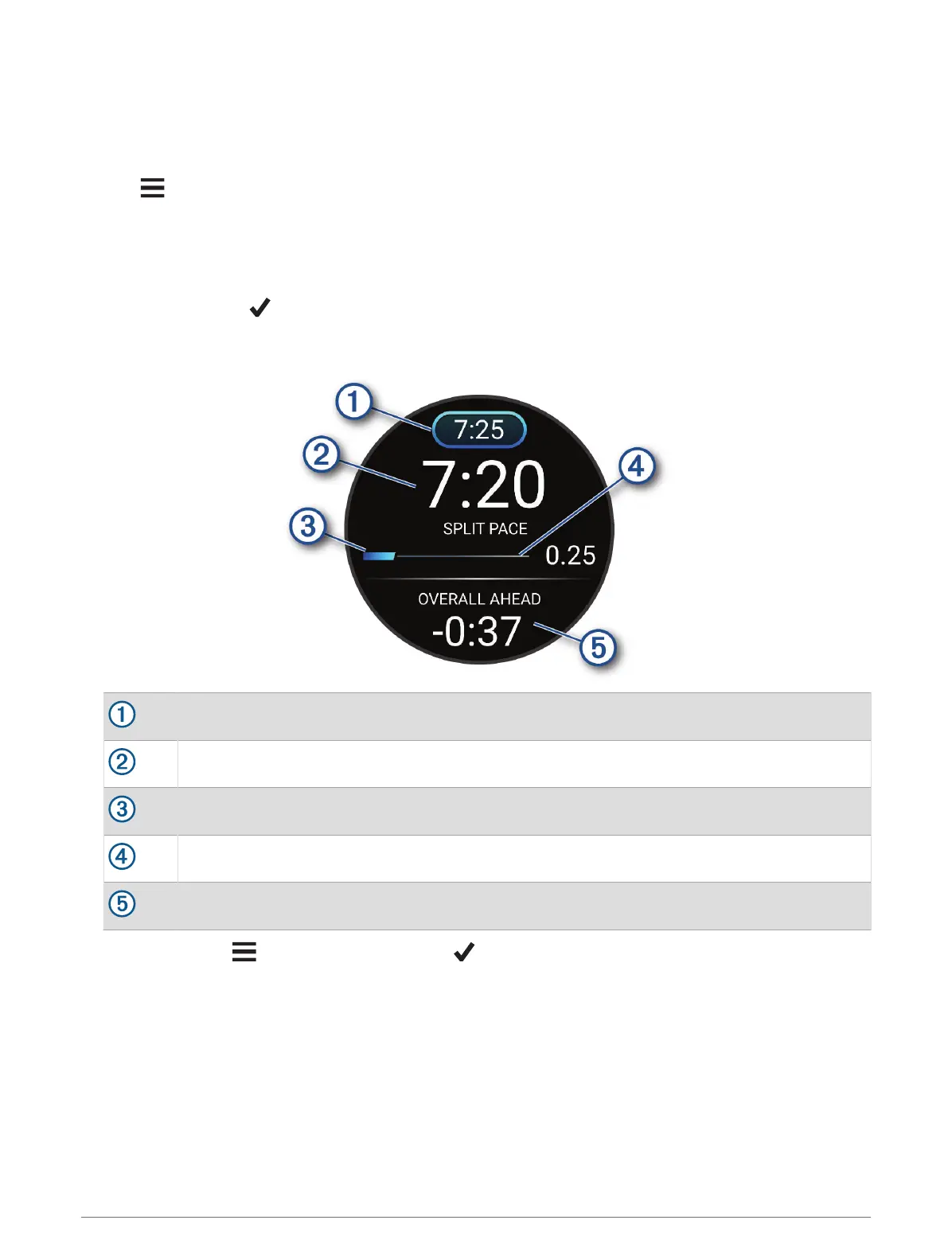
Target split pace
Current split pace
Completion progress for the split
Distance remaining in the split
Overall time ahead of or behind your target time
TIP:
You can hold , and select Stop PacePro > to stop the PacePro plan. The activity timer continues
running.
Training 57















 To Next Page