9
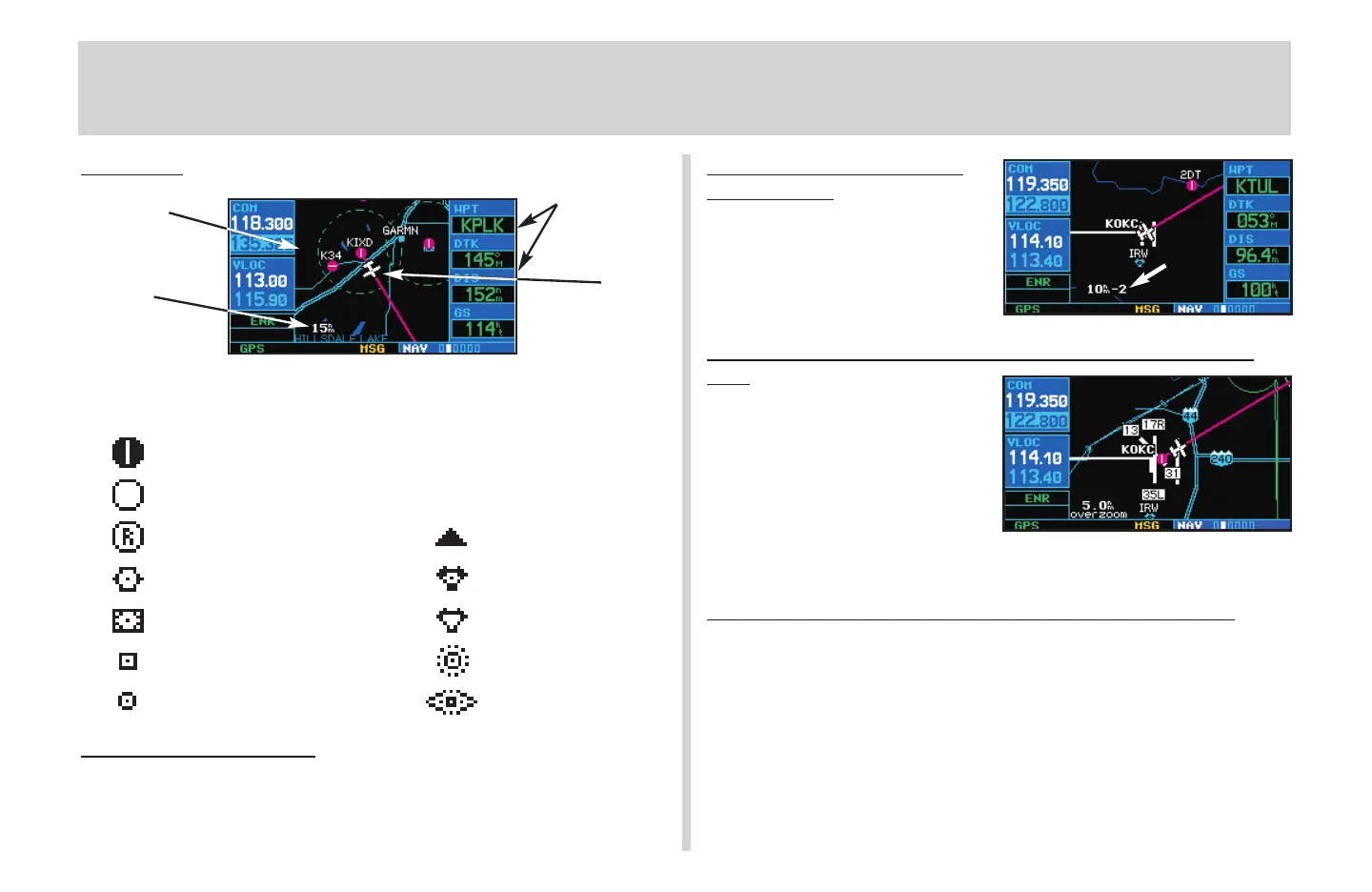
Map Page
The following symbols are used to depict the various airports and
navaids on the map page:
Airport with hard surface runway(s); Primary runway shown
Airport with soft surface runway(s) only
Private Airfield Intersection
VOR VORTAC
VOR/DME TACAN
DME NDB
Localizer Locator Outer Marker
T
o Select a Map Scale
1. Press the up arrow side of the
R
key to zoom out to a larger map area.
2. Press the down arrow side of the
R
key to zoom in to a smaller map area
and more detail.
To Quickly Declutter the
Map Display
1. Press the
c
key momentarily (as
often as needed) to select the
desired amount of map detail. The
declutter level will appear adjacent to
the map scale.
To Turn the Data Fields Off and Display a Full Screen
Map
1. With the map page displayed, press
m
to display an options menu.
2. Rotate the large right knob (
d
) to
highlight Data Fields Off? and press
E
.
3. To re-display the data fields, follow steps 1 and 2, but instead select Data Fields
On? from the options menu.
To Select a Different Data Item for any Data Field:
1. With the map page displayed, press the
m
key to display an options menu.
2. Rotate the large right knob (
d
) to highlight Change Fields?, and press
E
.
3. Use the large right knob (
d
) to highlight the data field you wish to change.
4. Rotate the small right knob (
a
) to display the list of available data items. Continue
rotating the small right knob (
a
) to select the desired data item from the list.
5. Press
E
to select the desired data item and return to the map page.
6. Press the small right knob (
r
) momentarily to remove the cursor from the page.
MAP PAGE
User-selectable
Data Fields
Map Display
Present
Position
Map Scale
430QR c.qxd 6/21/00 2:21 PM Page 9



 To Next Page