GPSMAP 3205 Owner’s Manual 27
basIc oPeratIon > creatIng and usIng routes
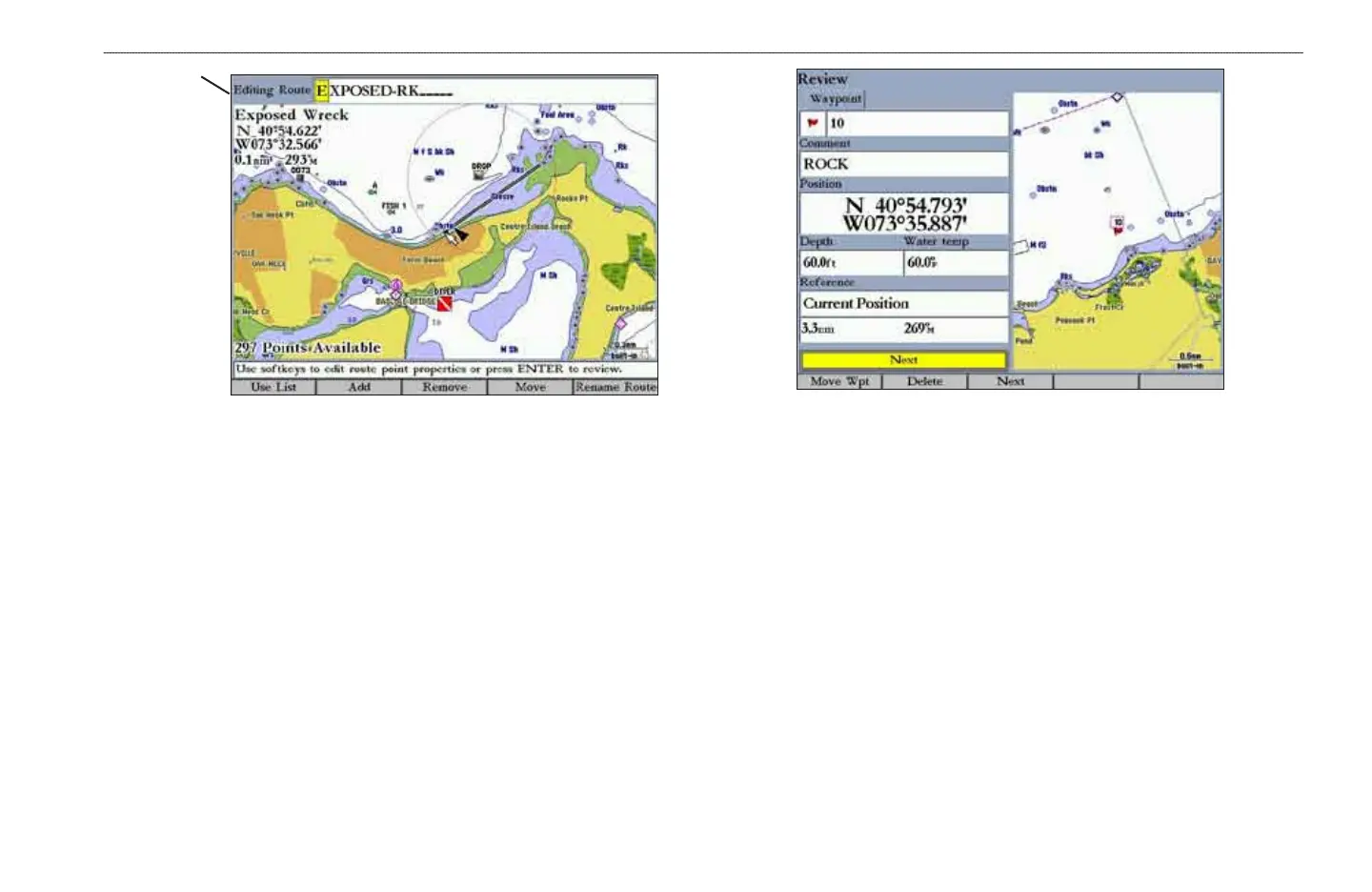
Editing
Route eld
3. Use the ROCKER to change the route name, and press ENTER when
nished.
To review individual route points on the map:
1. On the Routes tab, highlight the route you want to edit, and press ENTER.
The map window opens showing the selected route.
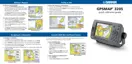
2. Highlight a point on the route, and press ENTER to open the Review
Waypoint Page.
Review Waypoint Page
3. Press the Rmv From Rt soft key to remove the point from the route, press
the Move Wpt soft key to move the waypoint, press the Delete soft key to
permanently delete the waypoint from the unit, or press the Next soft key
to highlight the next point on the route list. If the selected route point is a
user waypoint, you can edit any of the waypoint properties on the Review
Waypoint Page.
To add points to a route:
1. On the Routes tab, highlight the route you want to edit, and press ENTER.
The map window opens, showing the selected route.
2. Move the map pointer to the leg of the route where you want to add the
new point. The selected route leg turns yellow.













 To Next Page