GPSMAP 3205 Owner’s Manual 89
radar
usIng radar > radar Page
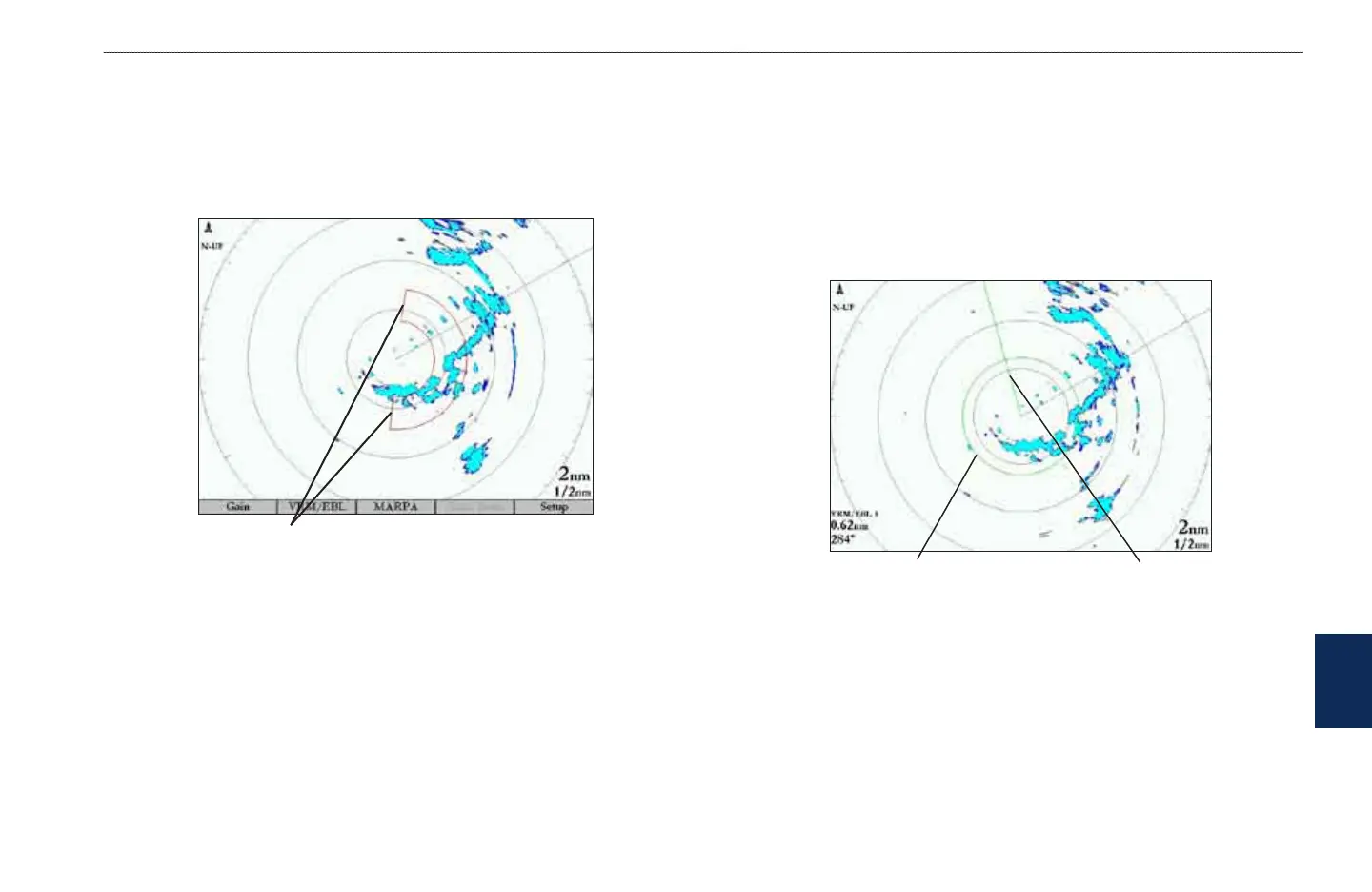
Guard Zone
A Guard Zone is a user-dened area of protection. If a target enters the Guard
Zone, an alarm sounds. You can dene two Guard Zones. The Guard Zone Menu
has two areas, “Guard Zone 1” and “Guard Zone 2.” Each area has two settings,
Show (Hide) and Adjust.
Guard Zone
To Dene a Guard Zone:
1. Highlight Show Guard Zone 1 or 2, and press ENTER.
2. Highlight Adjust, and press ENTER.
3. Using the ROCKER, dene the area on the Radar Page by adjusting three points:
• Corner 1
• Corner 2
• Circular
4. Press ENTER to set the Guard Zone.
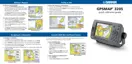
VRM/EBL
The Variable Range Marker (VRM) and Electronic Bearing Line (EBL) tools
measure range and bearing to a target. You can move the center point of the
VRM, which allows you to measure from one target to another. Two
VRM/EBL tools can be active at the same time.
The VRM/EBL option has two areas, VRM/EBL 1 and VRM/EBL 2. Each area
has two settings, Show (Hide) and Adjust.
Variable Range Marker
(VRM)
Electronic Bearing Line
(EBL)
To start VRM/EBL 1 or VRM/EBL 2:
On the Radar Adjustment menu, highlight Show VRM/EBL 1 or
VRM/EBL 2, and then press ENTER.
You can adjust the diameter of the VRM and the angle of the EBL.













 To Next Page