58 nüvi 310/360/370 Owner’s Manual
appendIx
Battery Gauge
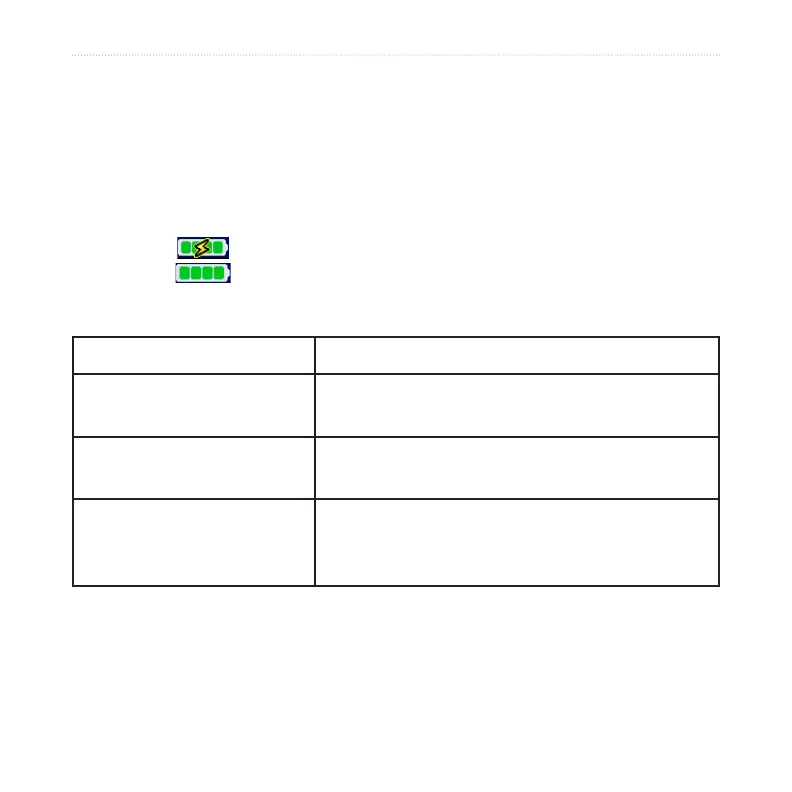
The battery icon in the upper-right corner of the Menu page indicates the status of the
internal battery. Periodically, you might notice that the battery gauge is not completely
accurate. To increase the accuracy of the battery gauge, fully discharge the battery and
then fully charge it without interrupting the charging. For best results, do not unplug
the nüvi until it is totally charged.
Battery charging or connected to external power
Full battery
Troubleshooting
Problem/Question
Solution/Answer
My nüvi never gets satellite
signals.
Take your nüvi outside, away from tall buildings
and trees.
My battery gauge does not
seem accurate.
Allow the nüvi to fully discharge and then fully
charge it (without interrupting the charge cycle).
The touch screen is not
responding to my taps
properly.
Calibrate the screen. On the Menu page, touch
Settings > Display. Touch the Recalibrate button
and follow the on-screen instructions.



 To Next Page