nüvi 310/360/370 Owner’s Manual 3
basIc operatIon
basic oPeraTion
Turning the nüvi On or Off
Press and hold the Power button on the top of the nüvi.
Charging the nüvi
To charge the nüvi, use one of the following methods:
● Connect the nüvi to the suction mount and the 12/24-Volt car adapter.
● Connect the USB cable to the nüvi and your computer.
● Connect the AC adapter (included with nüvi 360 and nüvi 370) to the nüvi and
a wall outlet.
Acquiring Satellites
Before the nüvi can nd your current location and navigate a
route, you must do the following:
1. Go outdoors to an open area, away from tall buildings
and trees.
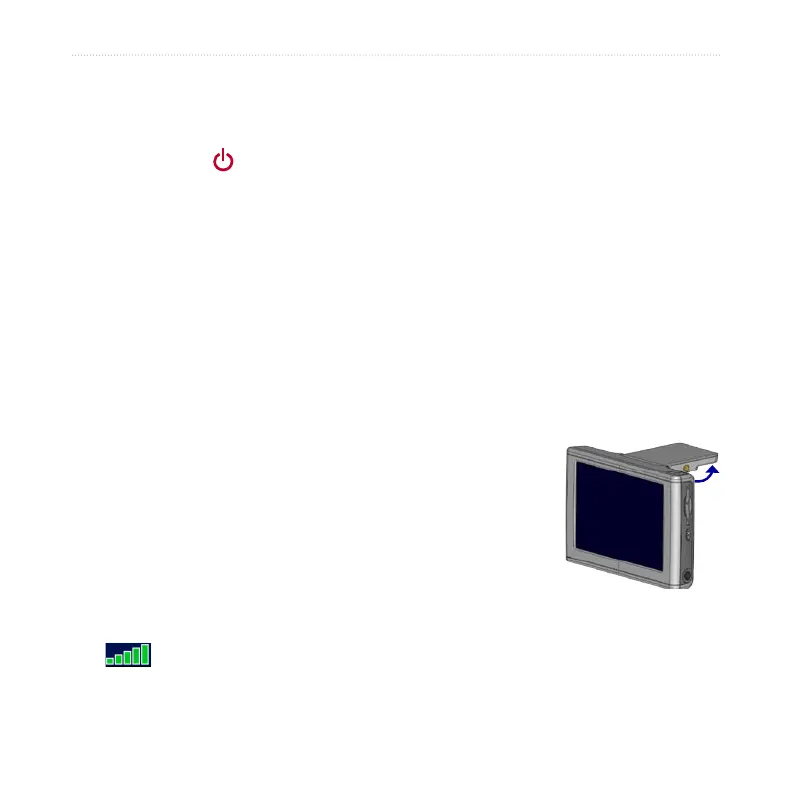
2. Flip up the GPS antenna on the back of the nüvi, so
that it is parallel to the ground.
3. Turn on the nüvi. Acquiring satellite signals can take
a few minutes.
The bars indicate satellite strength. When the bars are
green, the nüvi has acquired satellite signals; now you can select a destination and
navigate to it. To use the nüvi indoors, close the GPS antenna.
GPS Antenna Up
(Parallel to the
Ground)



 To Next Page