8 Quest
®
2 Owner’s Manual
basIc operatIon > fIndInG places and routInG to them
basIc operatIon
Finding Places and Routing to Them
Use the Find Menu to locate and create routes to cities, addresses,
parks, restaurants, or hotels.
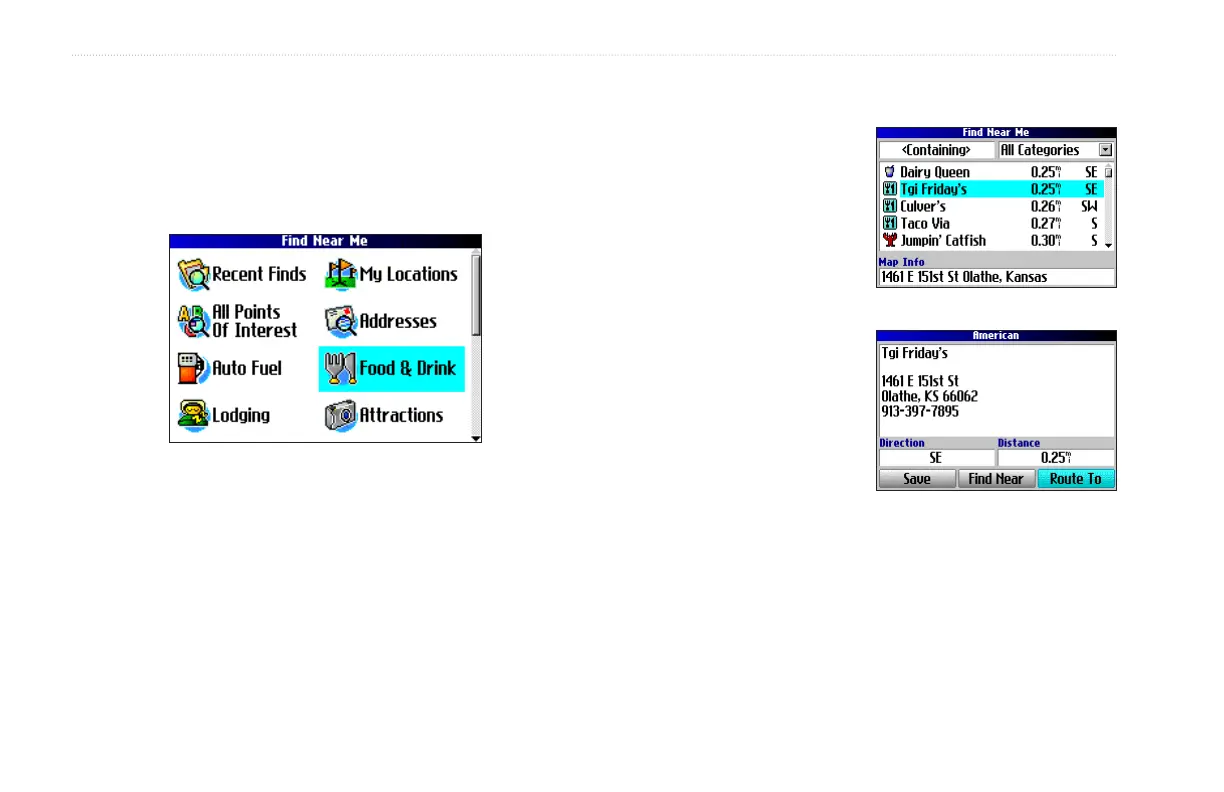
Find Menu
Press the Rocker down to see more Find categories.
To nd a place and route to it:
1. Press the FIND key. The Find Menu appears.
2. Highlight a category
to help you nd your
destination, such as Food
& Drink, Lodging, or All
Points of Interest. Press
OK. A list of places near
your current location
appears.
3. Highlight the place and
press OK. An information
page appears.
4. Highlight Route To and
press OK. The Quest 2
calculates your route.
Find Menu Results List
Information Page



 To Next Page