Page 15
709-BTP3 Manual
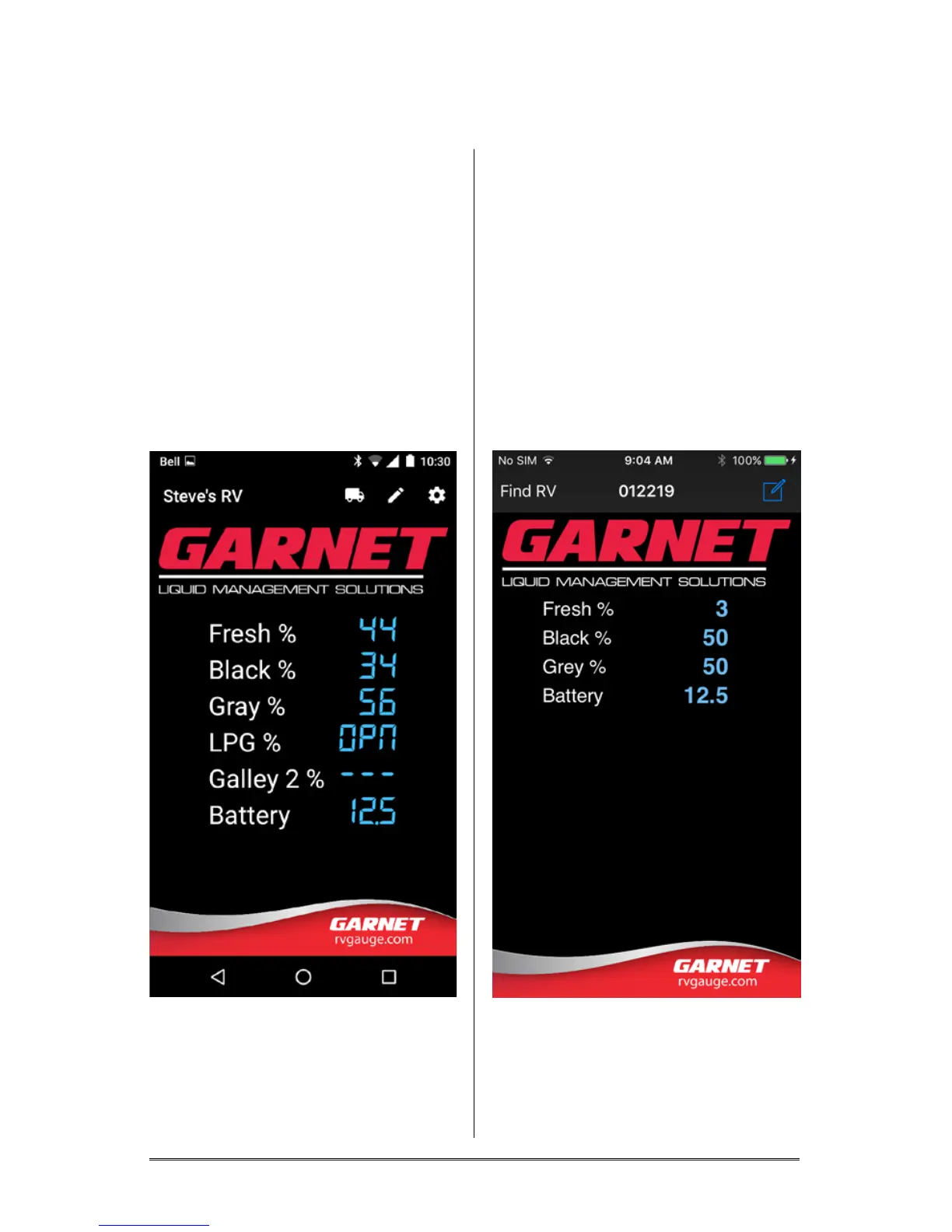
Main display:
Android
This screen displays the values for
the selected sensors.
The “Vehicle” icon lets you select a
different RV.
The “Edit” icon allows you to name
your RV.
The “Conguration” icon is used
to change the conguration
options for the app.
Apple iOS
This screen displays the values for
the selected sensors.
“Find RV’ lets you select a different
RV.
The “Coach ID” displayed is a
unique identier for the Garnet
hardware installed in your RV.
The “Edit” icon allows you to name
your RV.






 To Next Page