34 35
ENEN
GLB WIFI Master only
GLB WIFI Master only
To gain access to the wallbox's web interface it must be connected to the same network
as a mobile phone, tablet or computer. See the section entitled Connecting to the
wallbox's Wi-Fi access point (AP).
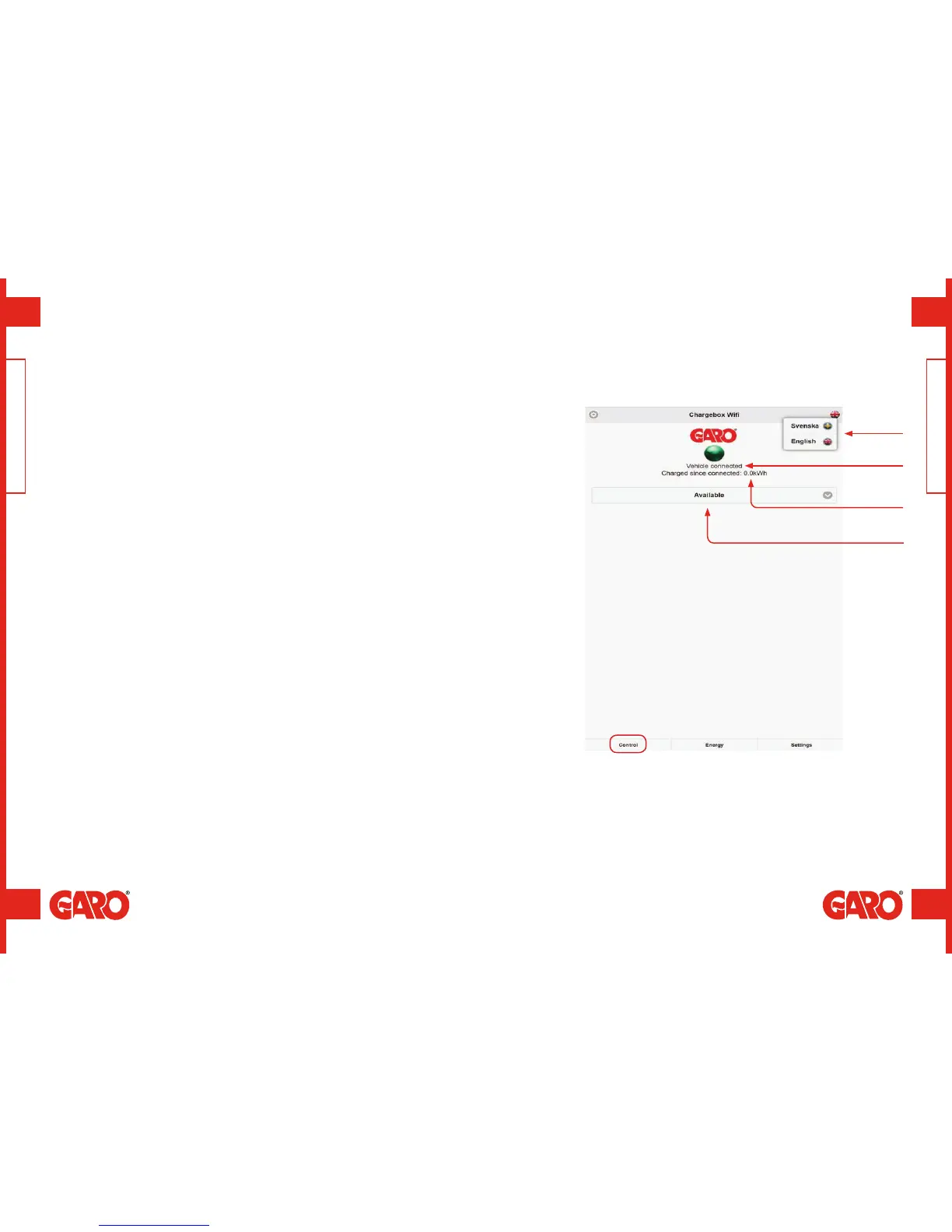
The web interface is divided into three sections.
• Home – Status, current measurement values, control and scheduled control.
• Energy – Display of energy over time.
• Settings – The wallbox/s' settings (settings and management of charging current,
RFID, etc.).
Web interface
A
D
A. Choice of language.
B. Charging status and current measurement value.
C. Accumulated measurement value.
D. Choice of charger control, for example, accessible, non-accessible or scheduled.
B
C
GLB Wi-Fi Master / Web interface GLB Wi-Fi Master / Web interface
(figure 26)


 To Next Page