36 37
ENEN
GLB WIFI Master only
GLB WIFI Master only
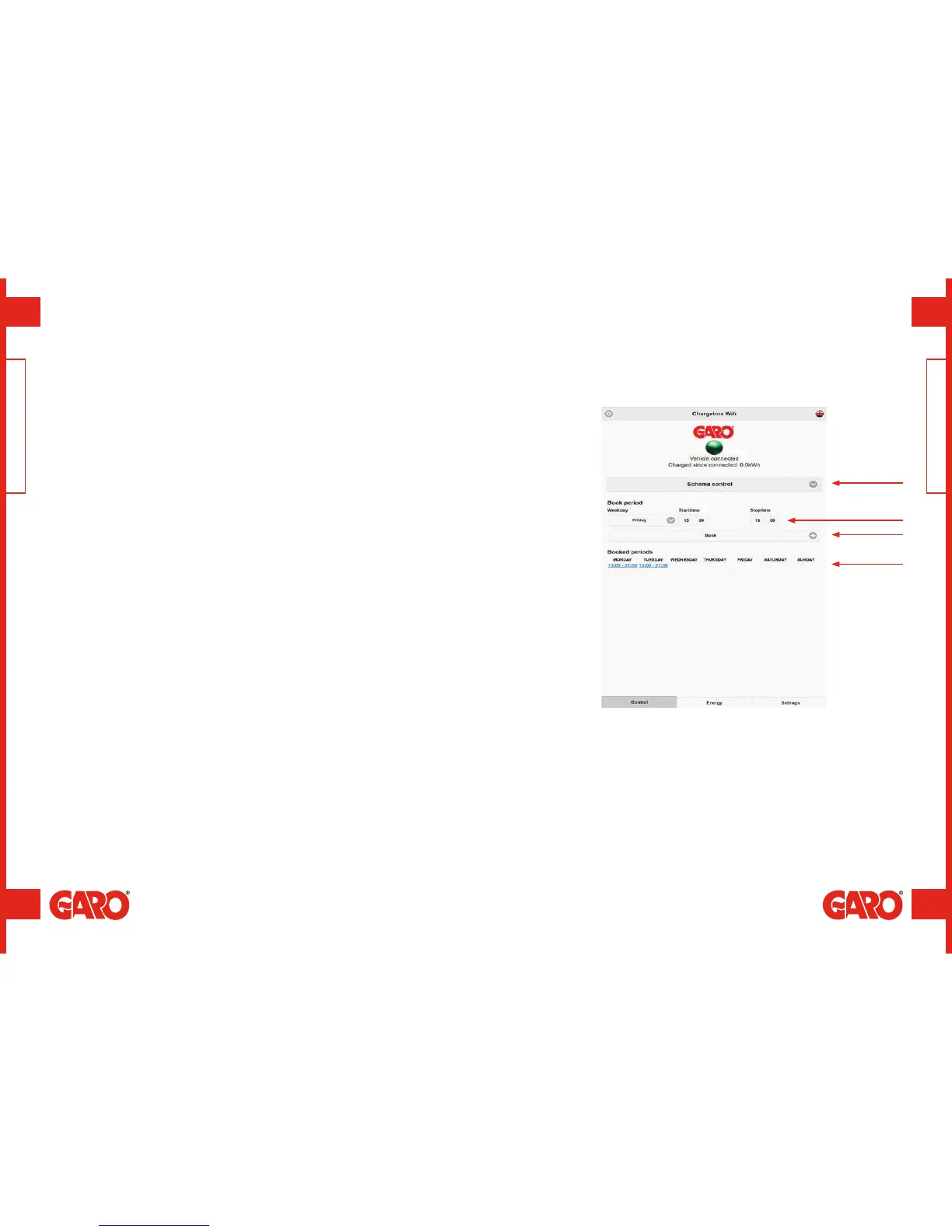
This feature enables the user to schedule the days and times when the wallbox is
accessible.
1. Select scheduled control.
2. Select the day and start/stop time.
3. Click ‘Book’.
4. Check that the correct time has been booked in the schedule.
To remove scheduled times, click on the time to be removed (indicated in blue text).
Scheduled charging
A
A. Choice of scheduled control.
B. Schedule day and time.
C. Book.
D. Scheduled times.
B
C
D
GLB WIFI Master / Scheduled charging GLB WIFI Master / Scheduled charging
(figure 27)


 To Next Page