58 Replacing and Adding System Components
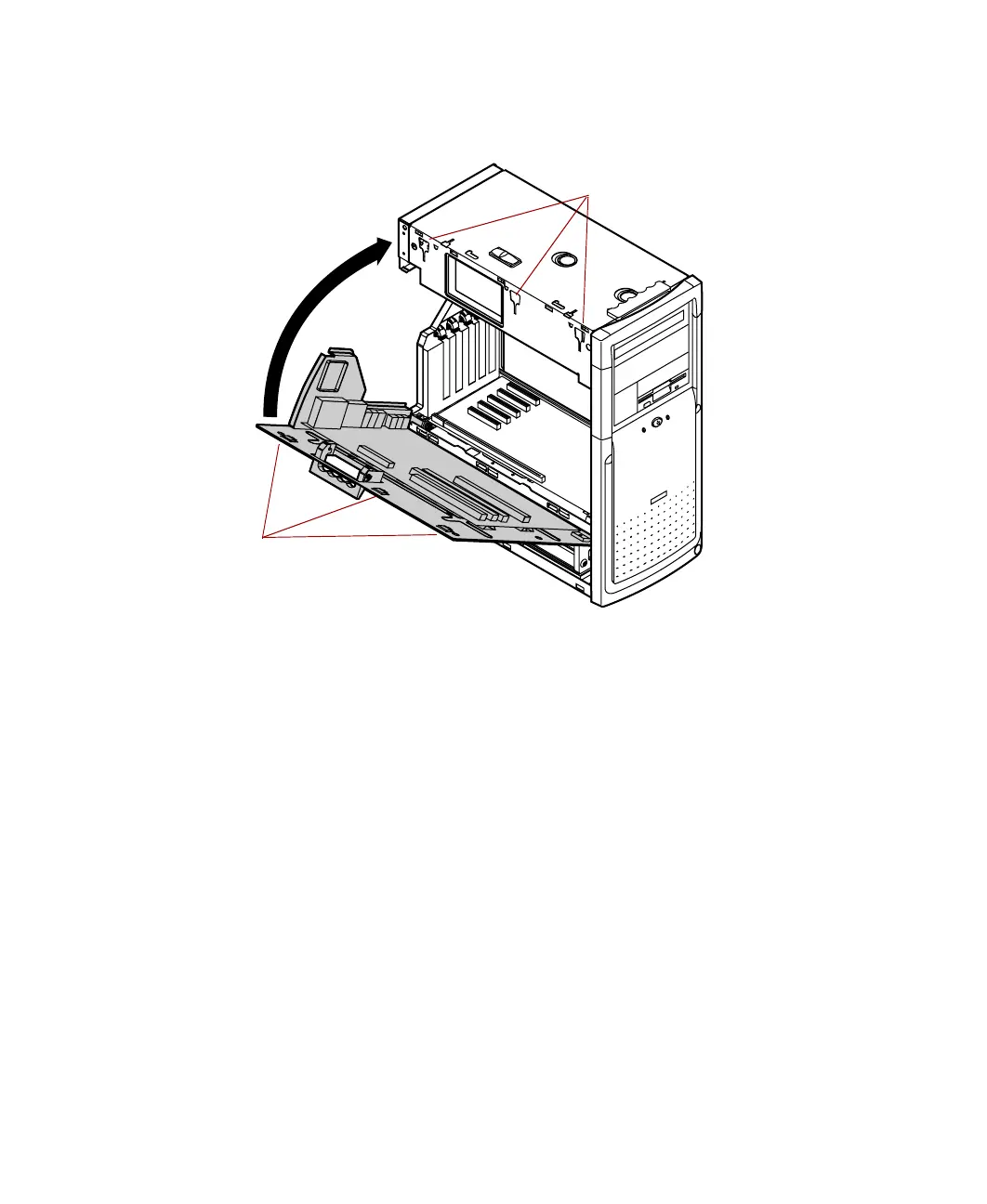
3 Push the tray assembly toward the chassis until the three tabs at the top
of the tray assembly are seated in the corresponding slots on the chassis.
4 Push the handle in and slide the tray assembly downward until it locks
the tray in place.
5 Turn the chassis around and press down on the top edge of the system
board to make sure that it is firmly seated in the riser card slot.
6 Replace or reconnect the peripheral devices to the rear-panel I/O
connectors.
7 Replace the left and right panels. (See “Replacing the side panels” on
page 23 for instructions.)
8 Reconnect the power cord and all other cords you removed, then turn
on the system.
Tabs
Ta b s lo ts
05957.book Page 58 Monday, May 8, 2000 10:09 AM



 To Next Page