13CyScan Positioning System • Installation and Maintenance Guide r1.1
GC S
GC S
CyScan Removal
Decommissioning the CyScan system ready for stowage involves three basic stages:
• Switching off the CyScan Console System,
• Disconnecting the CyScan Sensor, and
• Un-mounting the CyScan Sensor
Switching off the CyScan Console System
! Important: The system running the CyScan Console application MUST be
switched OFF before the CyScan Sensor is disconnected.
To exit CyScan Console and shutdown the system
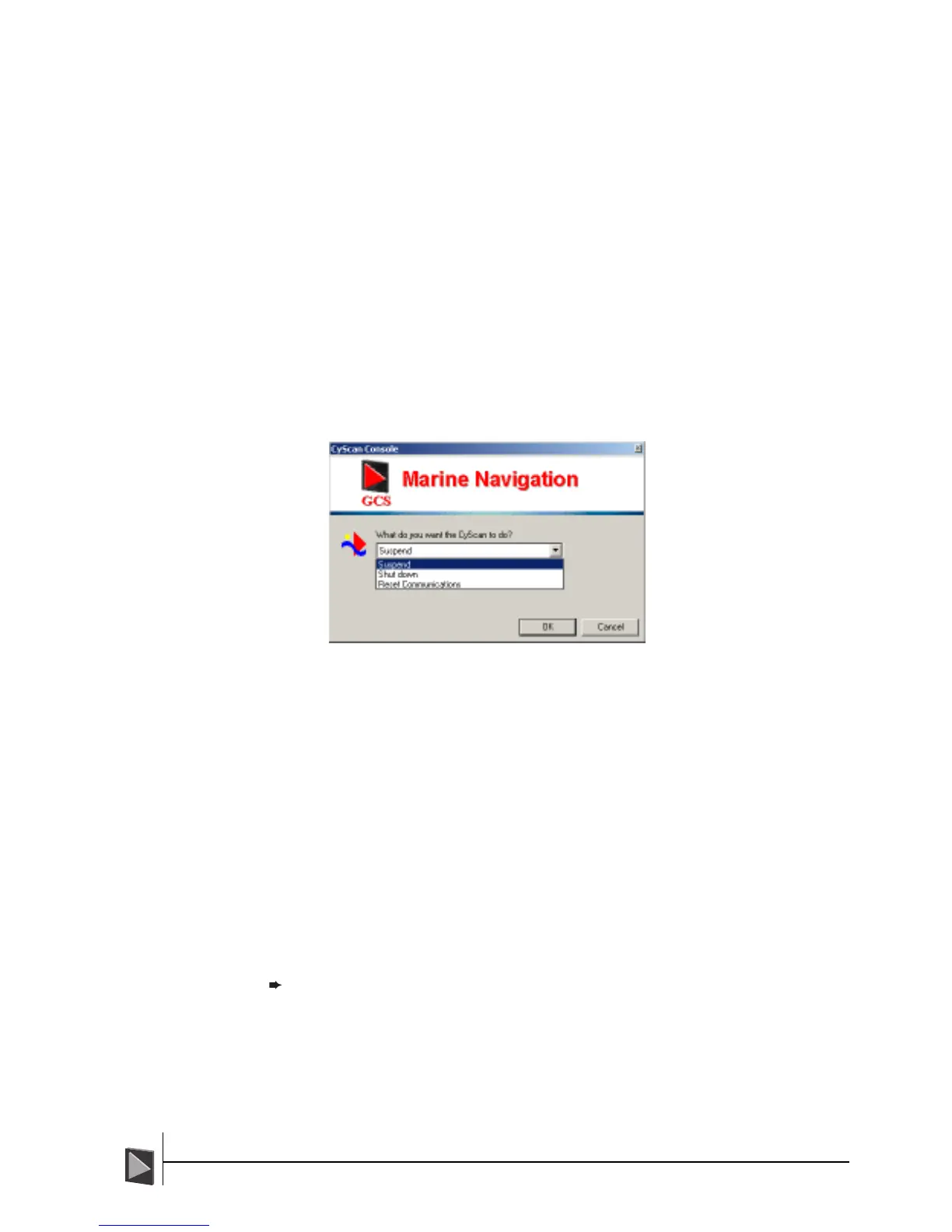
1 Click the ‘CyScan’ button in the lower left corner of the screen (this button is
unavailable while navigating). The control dialog will be displayed:
2 Click the down-arrow to reveal the three options. Select ‘Shut down’ and click the
OK button.
3 Click ‘Yes’ to confirm your selection in the subsequent pop-up message. The
application will send shut down commands to the CyScan sensor and then close
itself down.
4 In the lower left hand corner of the Windows screen, click the Start button.
5 Select the Shut Down option.
6 In the subsequent Shut Down Windows dialog, ensure that Shut Down option is
selected and click OK.
7 When the system reports that it is ‘safe to switch off your computer’, turn off the
notebook computer.
You can now proceed to disconnect and un-mount the CyScan Sensor (if required).
The status LEDs on the sensor unit should show the yellow LED on and the green LED
flashing briefly once a second.
Note: The Console application should always be running when the Sensor is in
operation.



 To Next Page