5CyScan Positioning System • Installation and Maintenance Guide r1.1
GC S
GC S
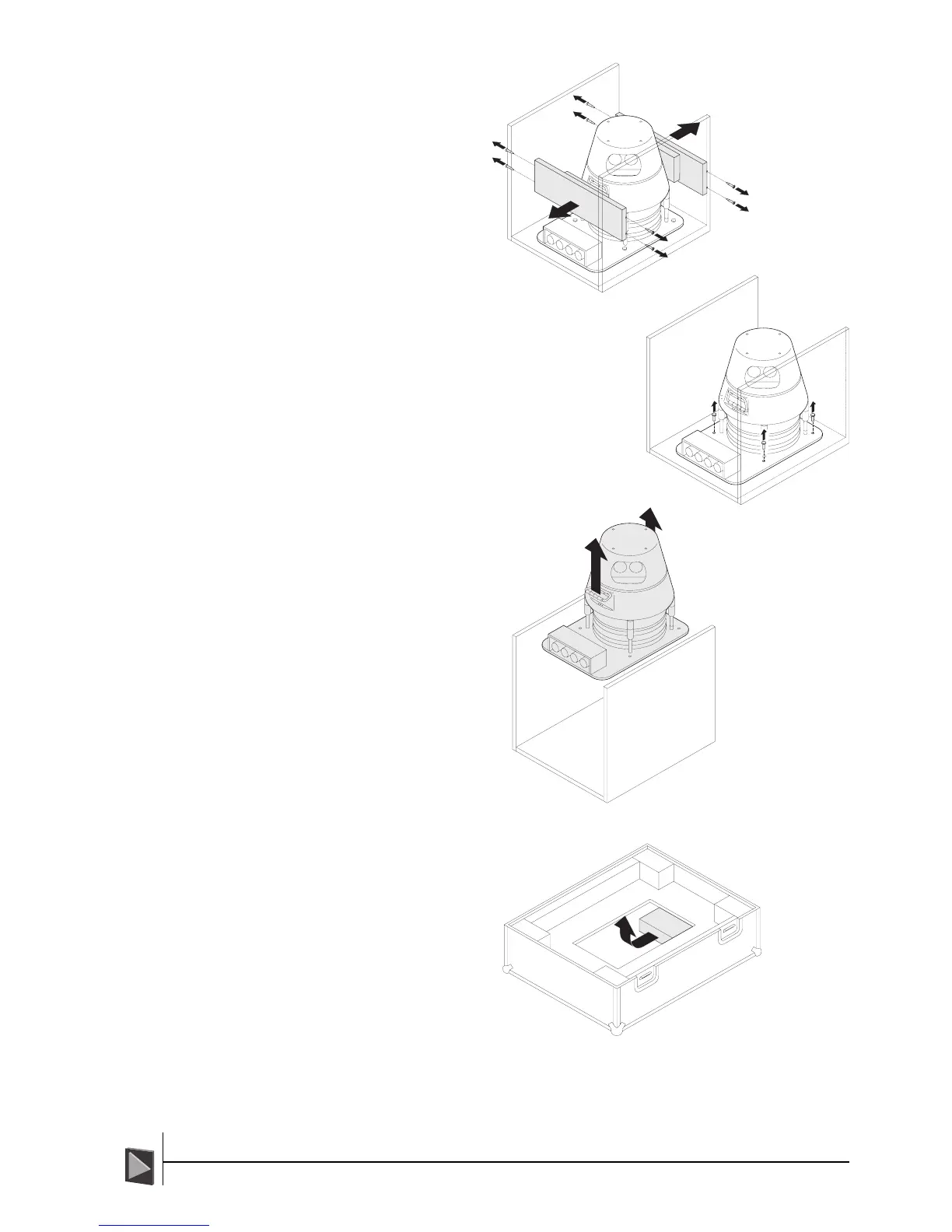
6 Using a crosshead
screwdriver,
remove the eight
screws securing
the two end
bumper boards
and remove.
7 Using a 13mm socket and ratchet,
remove the four bolts that secure the
CyScan sensor to the base of the inner
box.
8 With the assistance of
another person, lift the
sensor from the inner
box using the two
carrying handles. Place
the sensor next to the
pre-installed mounting
plate on deck.
9 From the access hole in
the base of the flight
case, remove the
power supply and data
converter boxes plus
their accompanying
cables.
The system is now ready for
installation.
ï Remove the bumper
boards
ñ Remove the bolts
ï Lift out the sensor
ï Remove the
peripheral items



 To Next Page