35
Problem Cause Correction
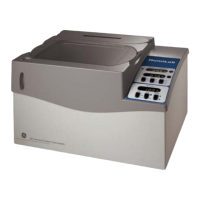
Monitor not flashing status LED’s
1. Batteries inserted incorrectly
2. Low battery power
3. Conditions too bright to see flashes
4. Communication from generator is
within 10 minute update sequence
5. Immersed in liquid
6. Monitor not linked.
1. Verify correct battery orientation
2. Replace batteries
3. Move monitor to a less lit area
4. Press “System Update” button
5. Allow to dry for 24 hours, replace
batteries. If problem persists
order GE Wireless Monitor (part
number 316196GS)
6. Follow linking procedure.
Linking error
1. Generator control board not in
“Linking Mode”
2. Monitor “System Update” button
not pressed for 5 seconds during
generator control board “Linking
Mode”
1. On generator control board
press and hold the MENU and
ESCAPE buttons for 3 seconds
until “Linking Mode” scrolls across
screen. Press and hold “System
Update” button on Monitor for 5
seconds.
2. Press and hold “System Update”
button on Monitor for 5 seconds.
Wireless communication lost
1. Monitor is too far from generator
2. Building materials are blocking
wireless signal (i.e. - steel studs,
aluminum siding, radiant barrier foil
insulation)
1. Move monitor closer to generator
2. Order Symphony Wireless router
(model 6220) to increase signal
strength
Service Needed red LED flashing
1. Generator system needs service
2. Wireless communication lost
3. Linking error
1. Refer to Service code Detection
System in manual
2. See Correction section for
“Wireless communication lost” in
Troubleshooting Guide
3. See Correction section for “Linking
error” in Troubleshooting Guide
Wireless Monitor Troubleshooting


 To Next Page