57
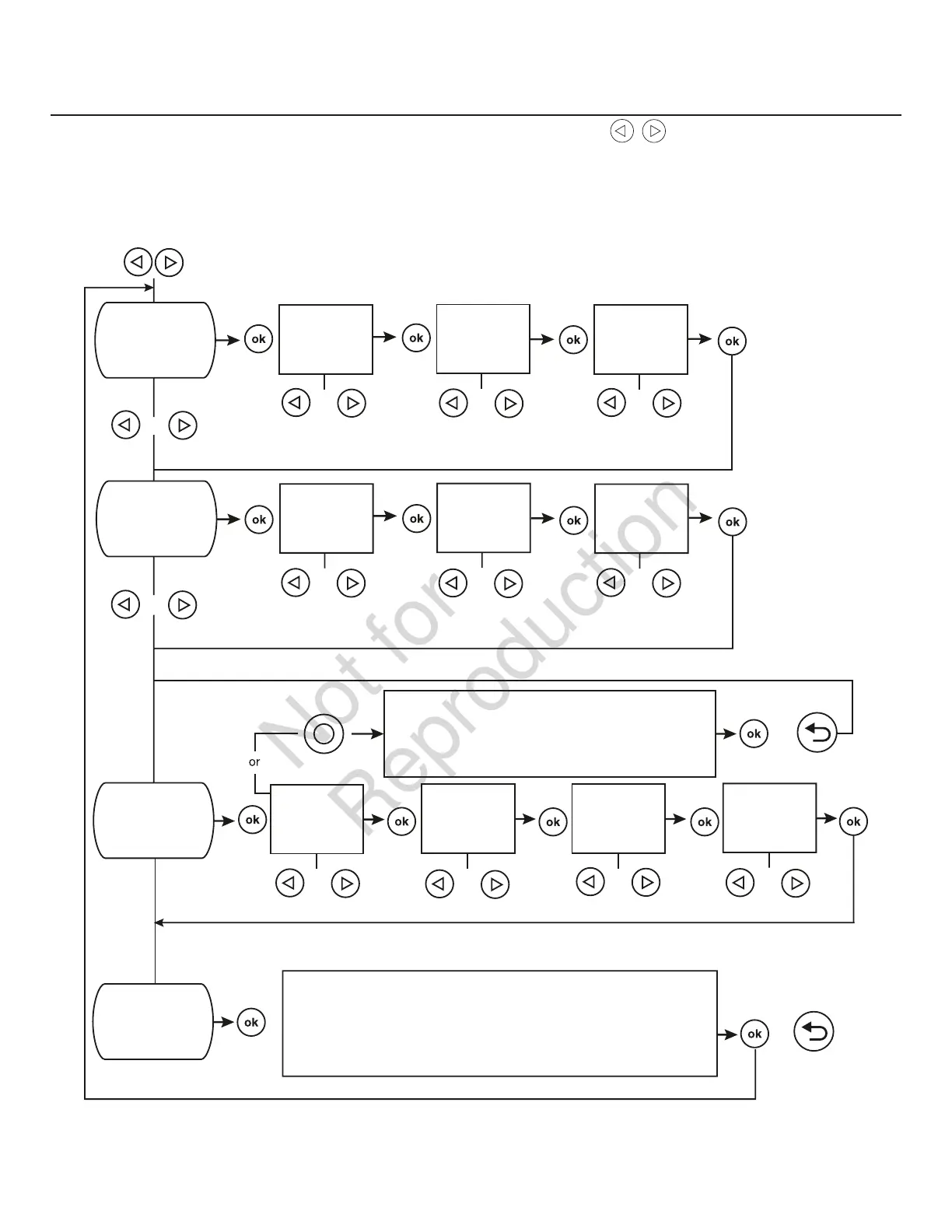
Pantalla de ajuste general
Para el ajuste general, mantenga presionadas la flecha izquierda y la flecha derecha por 3 segundos. Siga las
indicaciones que se señalan a continuación.
NOTA: La fecha y hora se ajustaron en la fábrica y se almacenaron en la memoria del panel de control. El ciclo de prueba
también se configuró en la fábrica. El ciclo de prueba predeterminado se produce los martes a las 2:00 p. m., hora estándar
del centro. Para actualizar o cambiar estos ajustes, siga los pasos que se presentan a continuación:
SET DATE
Si se ajusta en OFF, en la pantalla aparecerá:
EXERCISE CYCLE OFF
O
AÑO
PARPADEANDO
MES
PARPADEANDO
DÍA##
PARPADEANDO
SET TIME
HORAS
PARPADEANDO
MINUTOS
PARPADEANDO
AM/PM
PARPADEANDO
O O O
O
O O O
O
O
O O O O
DÍA DE LA SEMANA
PARPADEANDO
HORAS
PARPADEANDO
MINUTOS
PARPADEANDO
AM/PM
PARPADEANDO
SET EXERCISE
CYCLE
EVENT LOG
La pantalla mostrará el último evento de código de servicio,
fecha, hora
y temperatura de cuando el evento ocurrió.
O
SI DURANTE LA PROGRAMACIÓN NO SE PRESIONAN BOTONES DURANTE 30 SEGUNDOS,
EL PANEL DE CONTROL AUTOMÁTICAMENTE SALDRÁ DEL MODO DE PROGRAMA.


 To Next Page