1
Base Station
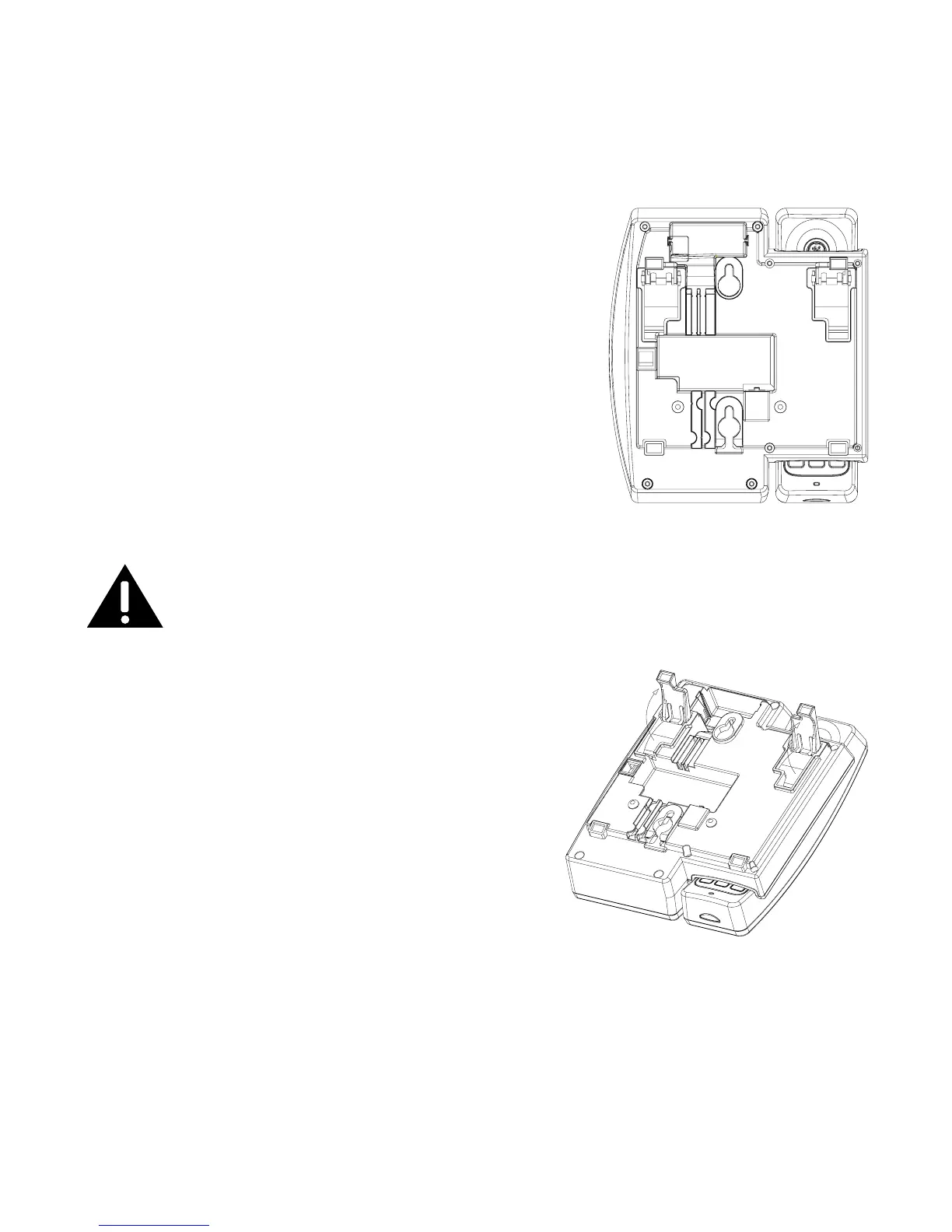
1. Choose an area near an electrical outlet and a telephone wall jack (RJ11C), and
place your cordless telephone on a level surface, such as a desktop or tabletop, or
you may mount it on the wall.
. Plug one end of the telephone line cord into the TEL
LINE jack on the bottom of the base and the other
end into a modular jack.
NOTE: If you subscribe to DSL service through
your telephone line you will need to connect
a DSL lter between your phone and the wall
jack. (refer to DSL Filter Installation section
for more detail).
. Plug the AC power adaptor into the electrical outlet
and the DC connector into the jack on the bottom of
the base.
CAUTION: To reduce risk of personal injury, re, or damage
use only the 5-2757 power adaptor listed in the user’s guide.
This power adaptor is intended to be correctly orientated in a
vertical or oor mount position.
4. You can stretch out the kick-stand on the
bottom of the base for a better viewing angle
when placed on desk-top.
5. Place the handset in the base cradle. The
charge/in use indicator turns on, verifying the
battery is charging.
6. Allow the phone to charge for 14 hours prior to
rst use. If you don’t properly charge the phone,
battery performance is compromised.


 To Next Page