9
Messages Playback
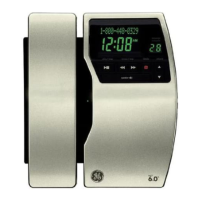
The message counter lets you know when you have message(s) or new message(s).
To play the messages, press the play/stop button.
While a message is playing, you may do the following:
• Press the
play/stop button to stop the message playback.
• Press and release the
review button to restart the current message.
• Press and release the
review button twice to go to the previous message.
• Press and release the
skip button to go to the next message.
• Press the
delete button to erase the current message.
Erasing Messages
You may erase messages in the following two ways:
To erase a message while it is playing
1. Press and release the
play/stop button.
. Press the
review and skip buttons to select and play the message you want to
erase.
. Press the
delete button, the current message is erased, and the next message
plays.
To erase all previously played messages in a mailbox
1. Make sure the phone is
OFF (not in talk mode)
. Press and hold the delete button until “E” is displayed on the Message Counter.
“ALL OLD MESSAGES ERASED“ is announced.


 To Next Page