5
Telephone Operation
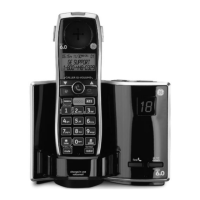
Charge/In Use Indicator on Base
The charge/in use indicator on the base will ash to alert you to an incoming call,
during paging, or registration. The indicator will remain lit when a handset is in the
base charging or when the line is in use.
Making a Call
1. Press the talk/call back button. Dial the desired number.
- OR -
Dial the number rst, then press the talk/call back
button.
. When nished, press the talk/call back
button or put the handset back into the
base cradle to hang up.
NOTE: If you want to delete the pre-dial number you entered, press
the mute/clear button until all of the digits are erased.
Answering Calls
1. When the phone rings, press the talk/call back button.
- OR -
Press the
speaker button on the base.
. When nished, press the talk/call back
button on handset or the speaker button
on base, or put the handset back into the base cradle to hang up.
NOTE: If you have turned the Auto Talk function on, you can pick
up the handset from the base to answer the incoming call directly,
without pressing any buttons.
NOTE: Adjust the handset volume by pressing the
cid/vol (3or4)
button during a call.
NOTE: If you press the speaker button to answer a call while the
handset is not in the base cradle, the call will not be ended even
when you place the handset back into the base cradle during the
conversation.


 To Next Page