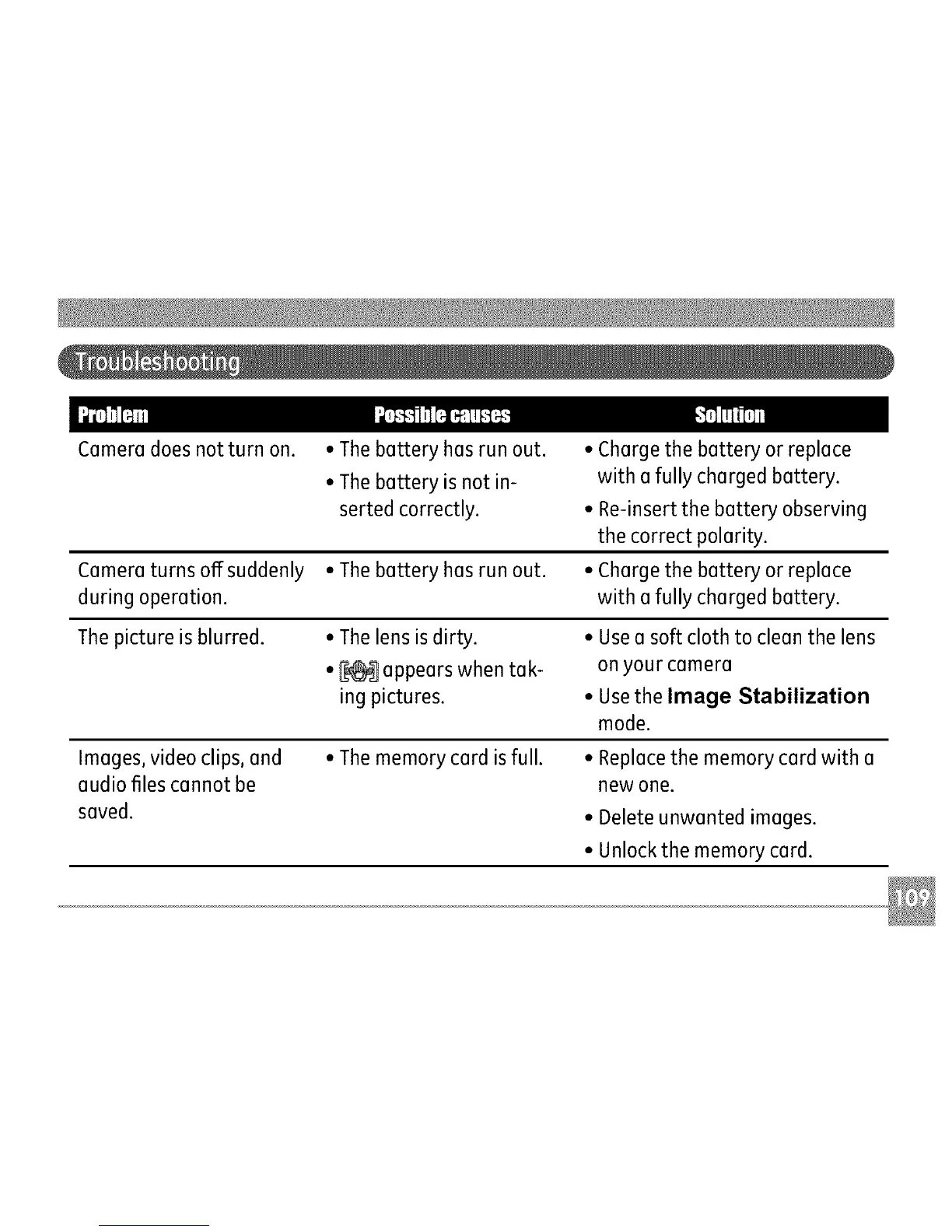
Cameradoesnotturnon.
•Thebatteryhasrunout. •
•Thebatteryisnotin-
sertedcorrectly. •
Cameraturnsoffsuddenly•Thebatteryhasrunout. •
duringoperation.
Thepictureisblurred. •Thelensisdirty. •
•_ appearswhentak-
ingpictures. •
Charge the battery or replace
with a fully charged battery.
Re-insert the battery observing
the correct polarity.
Charge the battery or replace
with a fully charged battery.
Use a soft cloth to clean the lens
on your camera
Usethe Image Stabilization
mode.
Images, video clips, and
audio files cannot be
saved.
• The memory card is full. • Replace the memory card with a
new one.
• Delete unwanted images.
• Unlock the memory card.



 To Next Page