[EN] English - 9K346 Issue 2
Operation - UPM Pressure measurements
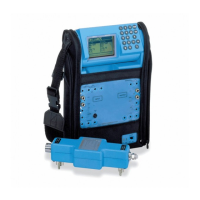
Read all the instructions supplied with the UPM and then
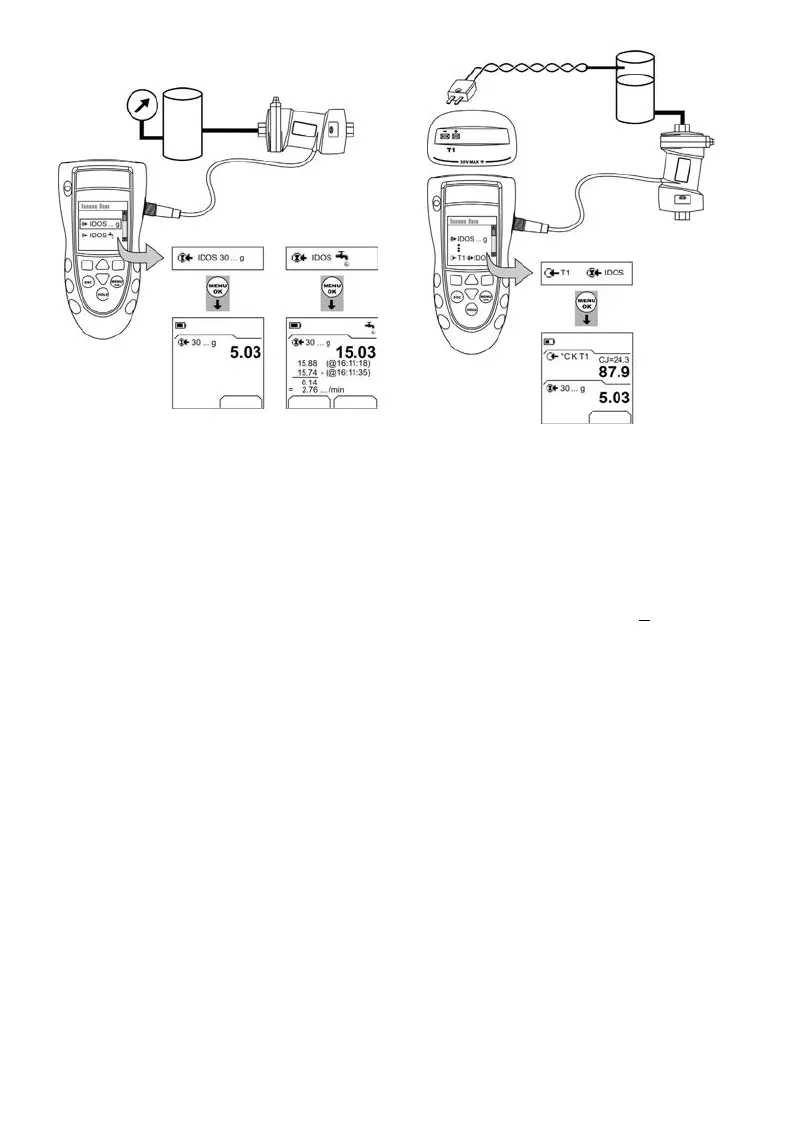
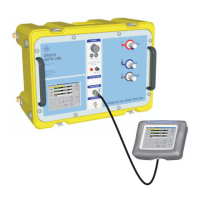
use the specified procedures to connect it (Figure 7/8).
Figure 7: Example configuration - Pressure measurement
with a UPM
When the connections are complete, make the necessary
IDOS selections (Table 2/3).
If you re-attach a UPM, the instrument uses the same
measurement units that you used before. The instrument
keeps a record for the last 10 modules.
UPM - Measure the pressure
To measure the pressure (Figure 7):
1. Select the applicable pressure task from Select Task
(Table 2/3) and, if necessary, adjust the Set Up (Table 1),
and the Settings (Table 4/5).
2. If necessary, do a zero correction (Table 4).
To measure pressure with another operation (Figure 8), use
the same procedure.
Figure 8: Example configuration - To measure pressure
and temperature
UPM - Leak test
To do a leak test on a pressure system (Figure 7):
1. Select an applicable leak test from Select Task
(Table 2/3) and, if necessary, adjust the Set Up (Table 1),
and the Settings (Table 4).
2. Set the period for the leak test (Table 4).
3. If necessary, do a zero correction (Table 4).
4. To start the leak test, select Start (■
■). When the test is
finished, the instrument calculates the leak rate in the
applicable units/minute.
Operation - Error indications
If the display shows <<<< or >>>> :
• Make sure that the range is correct.
• Make sure that all the related equipment and
connections are serviceable.
Settings
a) Pressure b) Leak test
Start Settings
Settings




 To Next Page