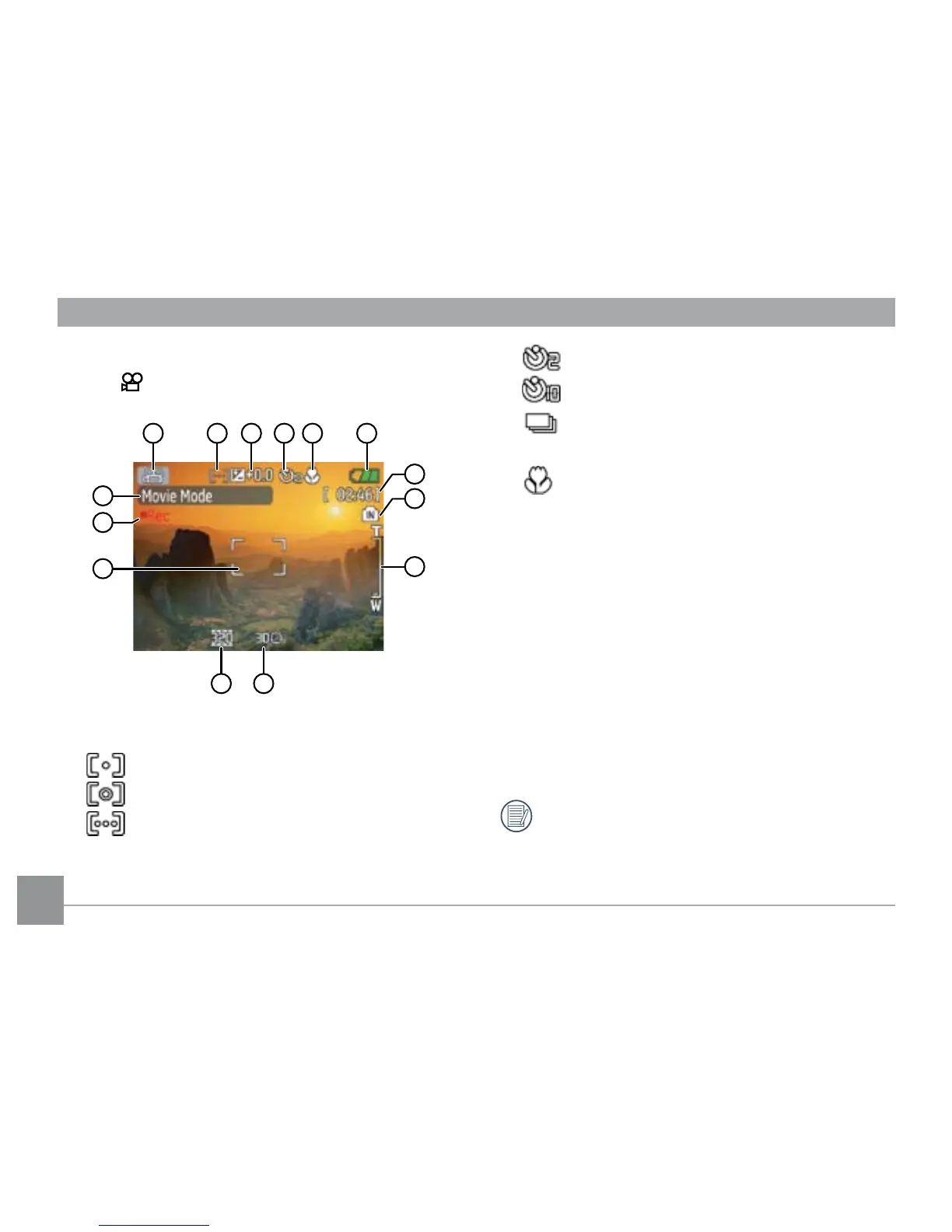
1 Shooting mode icon
2 Light metering method
Spot AE
Center-Weight
Ai AE
3 EV indicator
4 Self-timer indicator
2-second self-timer
10-second self-timer
Continuous shot
5 Macro mode indicator
Macro mode
6 Battery status
7 Mode name
Appears for 3 seconds when the mode is rst
switched to.
8 Remaining time for videos that can be taken.
9 Focus frame
10 Zoom indicator
11 Video resolution
12 Video quality
13 Record icon
14 Memory card/internal memory indicator
For best movie results, the use of SD cards is
recommended. Movie recordings using internal
memory are subject to quality degradations.



 To Next Page