GE HEALTHCARE PROPRIETARY TO GE
D
IRECTION 5394227, 12 LOGIQ S8/LOGIQ E8 SERVICE MANUAL
3 - 52 Section 3-10 - Printer Installation
3-10-1-2 UP-D897/D898 - Printer Settings
NOTE: Recommend to use one of three method below for printer setting.
Table 3-3 Settings for UP-D897/D898
Recommended Setting
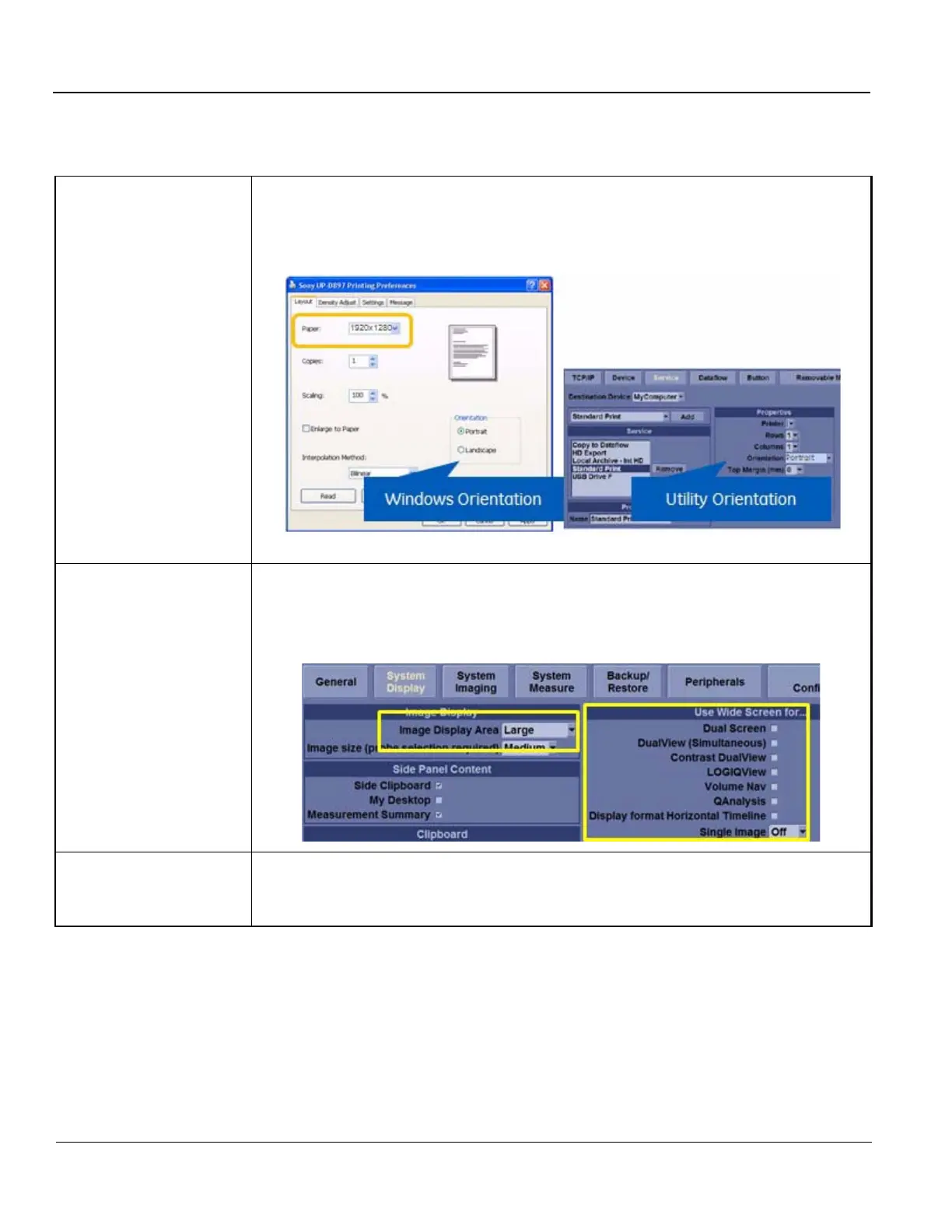
• Paper size: 1920x1280
• Windows Orientation: Portrait
• Utility Orientation: Portrait
Avoid using WIDE setting In Utility -> System -> System Display
• Image Display Area: Large or Default
• Turn OFF all parameters in Use Wide Screen for...
Use Large Print Setting
• Paper size: 1920x1280
• Windows Orientation: Landscape
• Utility Orientation: Landscape



 To Next Page