8-6 G650 Generator Protection & Control System GEK-113285A
8.2 BOOT CODE UPGRADE 8 BOOTCODE AND FIRMWARE UPGRADE
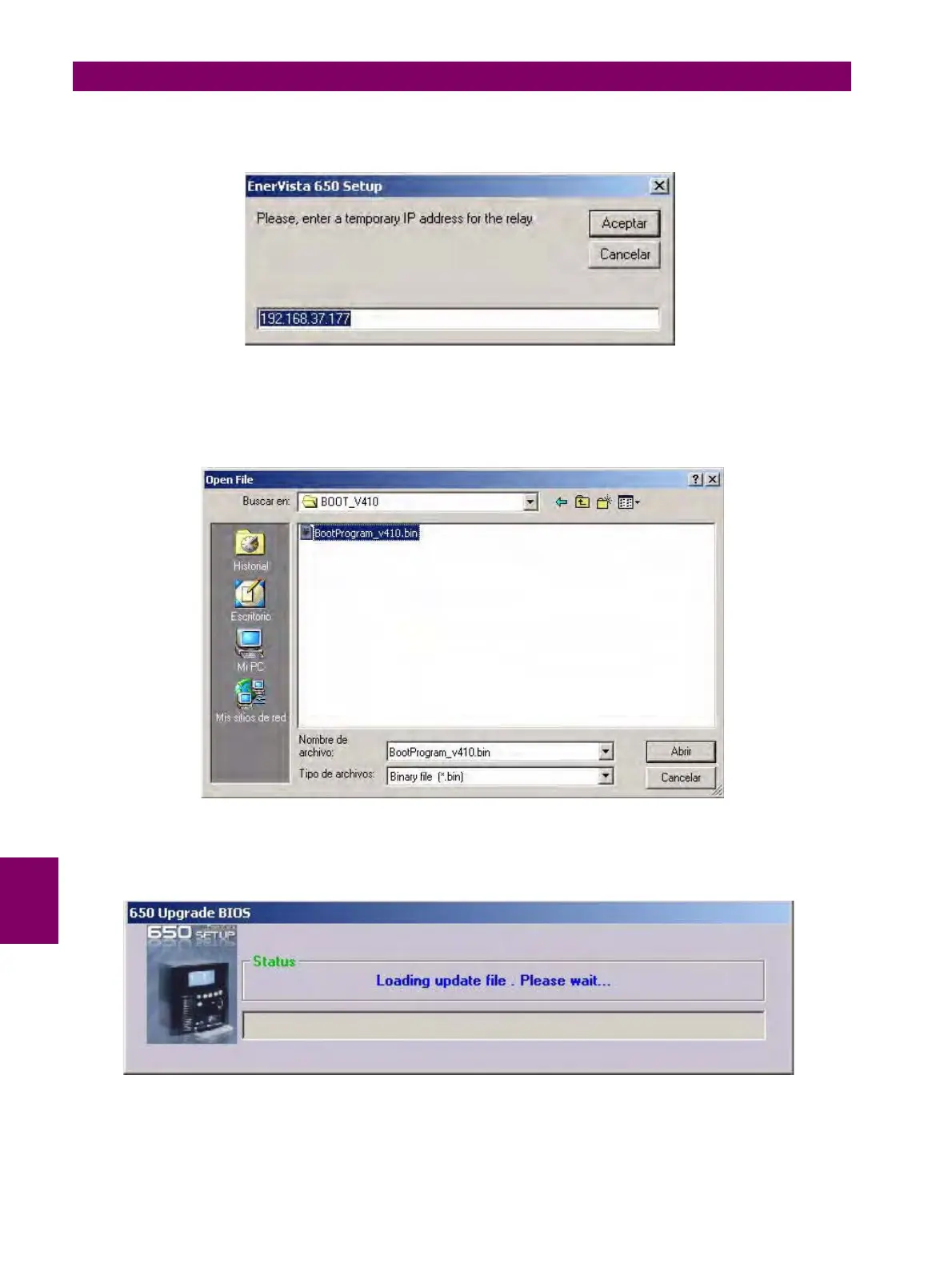
After accepting to proceed, a window will open up for selecting a temporary IP Address. It is advisable to set the IP Address
that is going to be used lately in the relay for Ethernet connection.
Figure 8–7: TEMPORARY IP ADDRESS SELECTION FOR BOOT UPGRADE
After entering the temporary IP address, a window will open up for selecting the appropriate file from the Multilin web site or
Product CD.
Figure 8–8: BOOT FILE SELECTION
Once the appropriate boot program file has been selected, the program will proceed to load the selected file.
Figure 8–9: LOADING BOOT FILE


 To Next Page
 Loading...


