5.5 VESA Arm Mounting
The QuickPanel
+
unit can be installed on a commercially available Video Electronics Standards Association (VESA) MIS-D
arm, stand, or apparatus that complies with the UL1678 standard.
Note Refer to the mounting arm manual for instructions.
➢ To VESA mount the QuickPanel
+
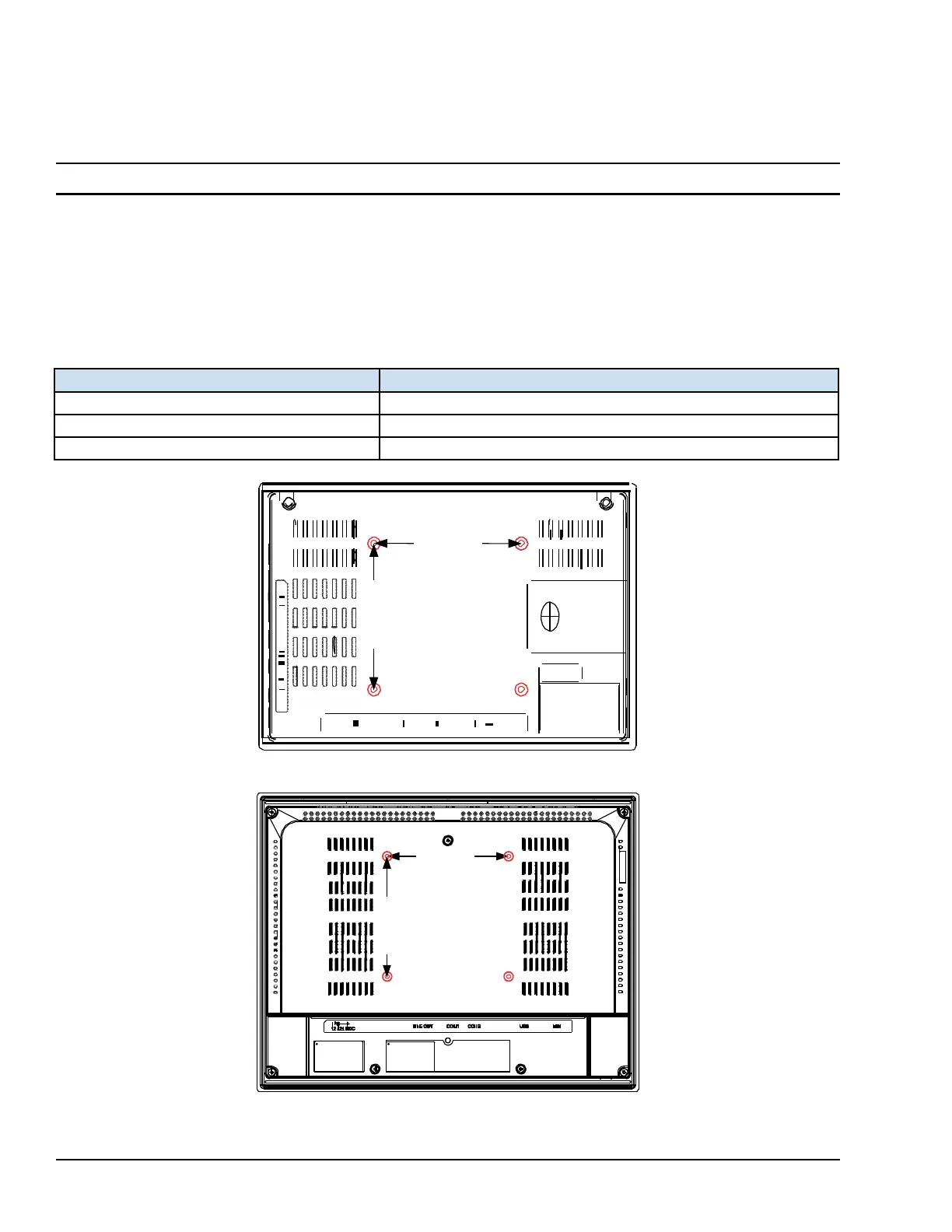
unit: use the mounting holes located on the back of the unit (displayed in the
following figures).
The mounting holes for IC755CxS06RDx and IC755CxW07CDx attach with M4 screws that are 6 mm (0.24 in) or less in
length.
The mounting holes for IC755CxSxxCDx attach with M4 screws that are 8 mm (0.32 in) or less in length.
Torque Range for Mounting M4
Screws





 To Next Page