
 To Next Page


T
Tammie MckenzieJul 26, 2025
Why is my GE Monitor 'POWERING DOWN'?
- OowenjamesJul 26, 2025
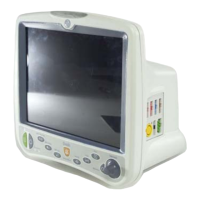
If your GE Monitor is 'POWERING DOWN', it indicates that the battery is empty and there is no battery runtime remaining.

Why is my GE Monitor 'POWERING DOWN'?
If your GE Monitor is 'POWERING DOWN', it indicates that the battery is empty and there is no battery runtime remaining.
What does 'CHECK BATT STATUS' mean on my GE Dash 3000 Monitor?
The 'CHECK BATT STATUS' message on your GE Monitor indicates that a minor failure has occurred while the battery is either in use or being charged.
What does 'BATTERY ERROR' mean on my GE Dash 3000?
A 'BATTERY ERROR' message on your GE Monitor signals a serious failure that has occurred while using or charging the battery.
How to avoid data loss due to IP address duplication on a GE Monitor network?
To prevent data loss caused by internet (IP) address duplication on your GE Monitor network, it's crucial to record all other internet addresses used on your network before changing the factory-assigned internet address.
Why can't my GE Monitor view other monitors on the network?
If your GE Monitor cannot view other monitors on the network, verify that the configured monitor type matches the environment in which the monitor is being used.
What to do if respiration waveform marks are missing or the rate is inaccurate on my GE Dash 3000?
If the respiration waveform marks are not appearing on the display, or the respiration rate count is inaccurate on your GE Monitor, try adjusting the respiration sensitivity level on the monitor.
Procedure for verifying installation and proper function after setup.
Detailed procedures for configuring settings like print locations, unit name, bed number, and network.
Instructions for setting unit name, bed number, patient-monitor type, and admit menu.
Configuration of Defib Sync, Line Frequency, CIC/QS, MUSE protocols, and country/language.
Systematic approach to diagnosing problems and identifying common issues.
Table of common error messages and their possible reasons/solutions.
Understanding battery alarms and messages displayed on the monitor.
Diagnosing and resolving issues with wireless LAN connection and signal strength.
Detailed steps for replacing specific patient monitor components.
Comprehensive list of functional checkout tests for various parameters and options.
Procedures and acceptance criteria for electrical safety testing.


 General