2. Press 2 to display the Review Existing Progs. screen.
Program 1 (One time)
Channel 104 Cable
Start Time 12:OO AM
End Time O1:30 AM
Start Date 10/24/97 FRI
Tape Speed SLP
Press CLEAR to erase
Press MENU for next prog
3. Press CLEAR to erase or MENU to see the next program.
Using Two VCRs for Copying and
Editing Tapes
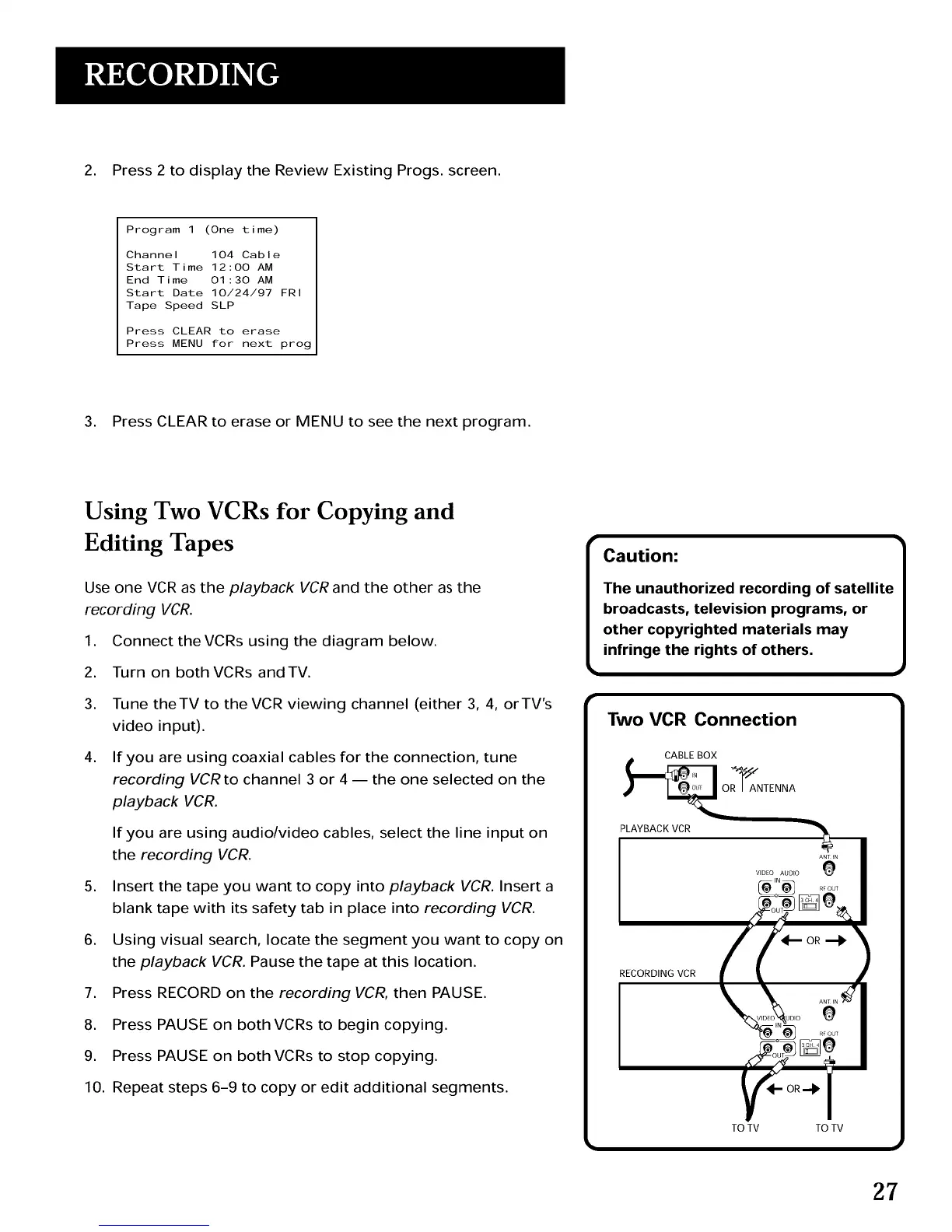
Use one VCR as the playback VCRand the other as the
recording VCR.
1. Connect theVCRs using the diagram below.
2. Turn on both VCRs andTV.
3. Tune theTV to the VCR viewing channel (either 3, 4, orTV's
video input).
4. If you are using coaxial cables for the connection, tune
recording VCR to channel 3 or 4 -- the one selected on the
playback VCR.
If you are using audio/video cables, select the line input on
the recording VCR.
5. Insert the tape you want to copy into playback VCR. Insert a
blank tape with its safety tab in place into recording VCR.
6. Using visual search, locate the segment you want to copy on
the playback VCR. Pause the tape at this location.
7. Press RECORD on the recording VCR, then PAUSE.
8. Press PAUSE on both VCRs to begin copying.
9. Press PAUSE on both VCRs to stop copying.
10. Repeat steps 6-9 to copy or edit additional segments.
r
Caution:
The unauthorized recording of satellite
broadcasts, television programs, or
other copyrighted materials may
infringe the rights of others.
Two VCR Connection
I
TO TV TO TV
27



 To Next Page