EN
9007210246122763 © 05-2023
971.552.00.0(01)
25
Replacing the control unit
Before removing the control unit, read out
the flushing parameters using the Geberit
Control app.
1 Demount the cover plate. → See 1 ,
page147.
2 Demount the control unit. → See 2 ,
page147.
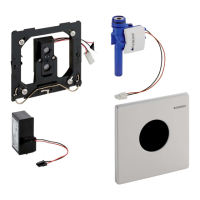
3 Mount the new control unit (art. no.
243.594.00.1 or 243.595.00.1) and check
that the solenoid valves function correctly.
→ See 5 , page150.
Put the Geberit HS30 and HS50 hygiene flush units
into operation:
4 Open the Geberit Control app.
5 Select the corresponding hygiene flush unit
under [New end devices].
6 Establish a connection with the hygiene
flush unit.
7 Set password.
8 Configure the solenoid valves.
9 Adjust the [device settings].
10 Enter flushing programmes under
[Flush settings].
11 Under [Information], create the
[commissioning report] and forward it to the
operator.
12 Mount the cover plate. → See 6 , page151.
Replacing volumetric flow rate
sensors or solenoid valves
1 Demount the cover plate. → See 1 ,
page147.
2 Demount the control unit. → See 2 ,
page147.
3 Demount the solenoid valves. → See 3 ,
page148.
4 Mount the new volumetric flow rate sensors
(art. no. 616.237.00.1) or new solenoid
valves (art. no. 243.065.00.1). → See 4 ,
page149.
5 Mount the control unit and check that the
solenoid valves function correctly. → See
5 , page150.
6 Mount the cover plate. → See 6 , page151.



 To Next Page