41
PUSH MODE / PULL MODE
4. Set the pullMode attribute to enable.
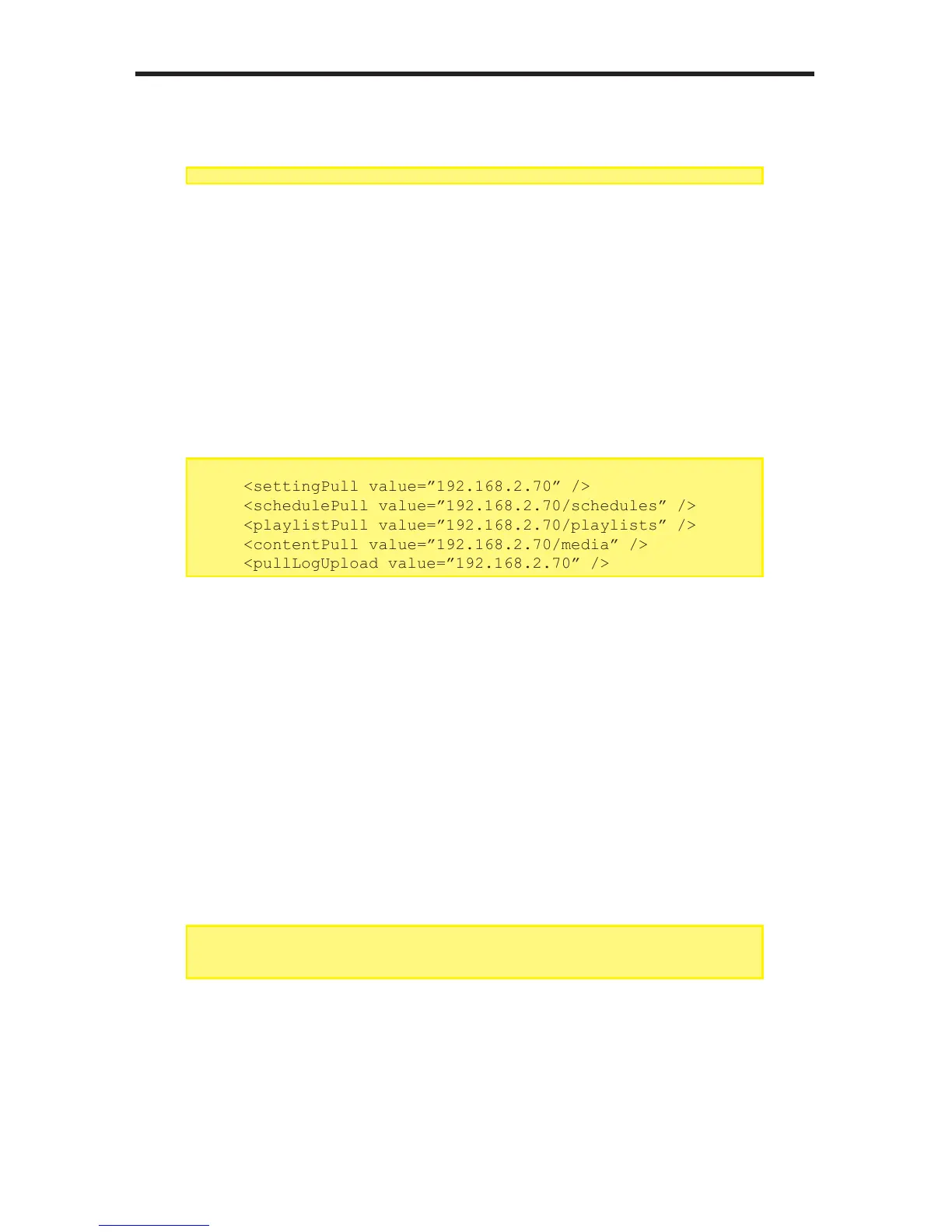
5. Next, set the IP address of the server used to hold the content for the
following attributes:
Note that the attribute values for schedulePull, playlistPull, and
contentPull contain a path to a directory. These directories will be set up
on the FTP server which we will cover in this section.
6. Enter the userName and userPass attributes to the desired values. These
values will also be used by the FTP server. For most scenarios, the value of
the port attribute should be set to 21.
<pullCong>
<pullModevalue=”enable”/>
<disable/>
<enable>
...
...
<pullCong>
<pullModevalue=”enable”/>
<disable/>
<enable>
<pullURLvalue=”192.168.2.70”/>
<settingPullvalue=”192.168.2.70”/>
<schedulePullvalue=”192.168.2.70/schedules”/>
<playlistPullvalue=”192.168.2.70/playlists”/>
<contentPullvalue=”192.168.2.70/media”/>
<pullLogUploadvalue=”192.168.2.70”/>
...
...
...
...
<userNamevalue=”User”/>
<userPassvalue=”Pass”/>
<portvalue=”21”/>
</enable>
...
...



 To Next Page