42
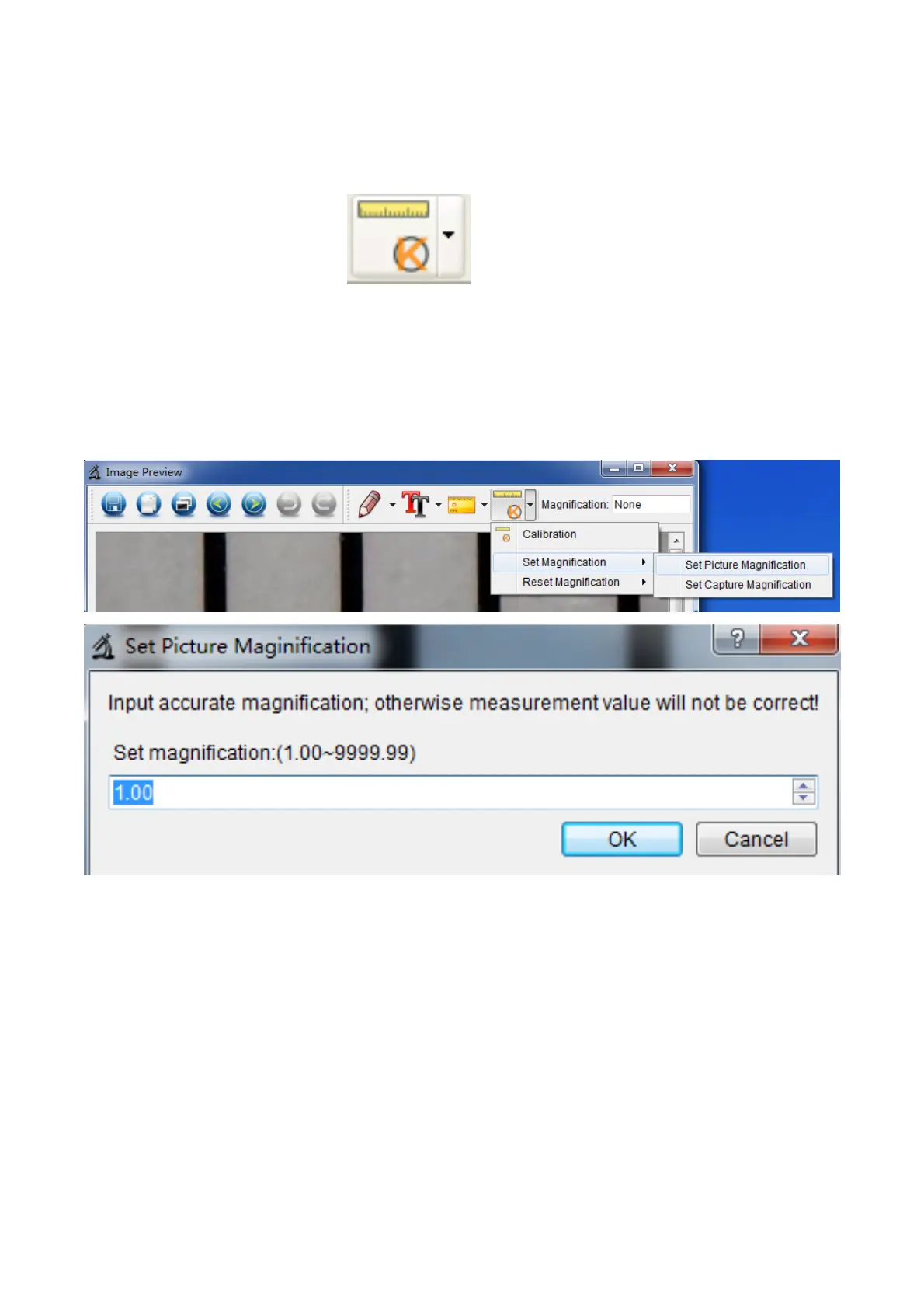
2. Change the magnification rate and capture several
pictures, click on the picture to enter into measurement
interface. And click ‘
> Set magnification > Set
picture magnification’, now a dialog will show up as below;
enter the magnification rate into the dialog and click ‘OK’.
3. If you want to use the same magnification rate to


 To Next Page