Operation
14 Synergy Automatic Standby Generator Owner’s Manual
With the control pad set to AUTO, the engine may crank and start at any time without warning. Such
automatic starting occurs during the programmed exercise cycle or when utility power source voltage
drops below the configured level. To prevent possible injury that might occur during sudden starts,
always set the control pad to OFF and remove the 7.5 amp fuse before working on or around the gener-
ator or transfer switch. For added security, place a DO NOT OPERATE tag or placard at both the control
pad and transfer switch.
NOTE: Never run the generator with any access panel removed.
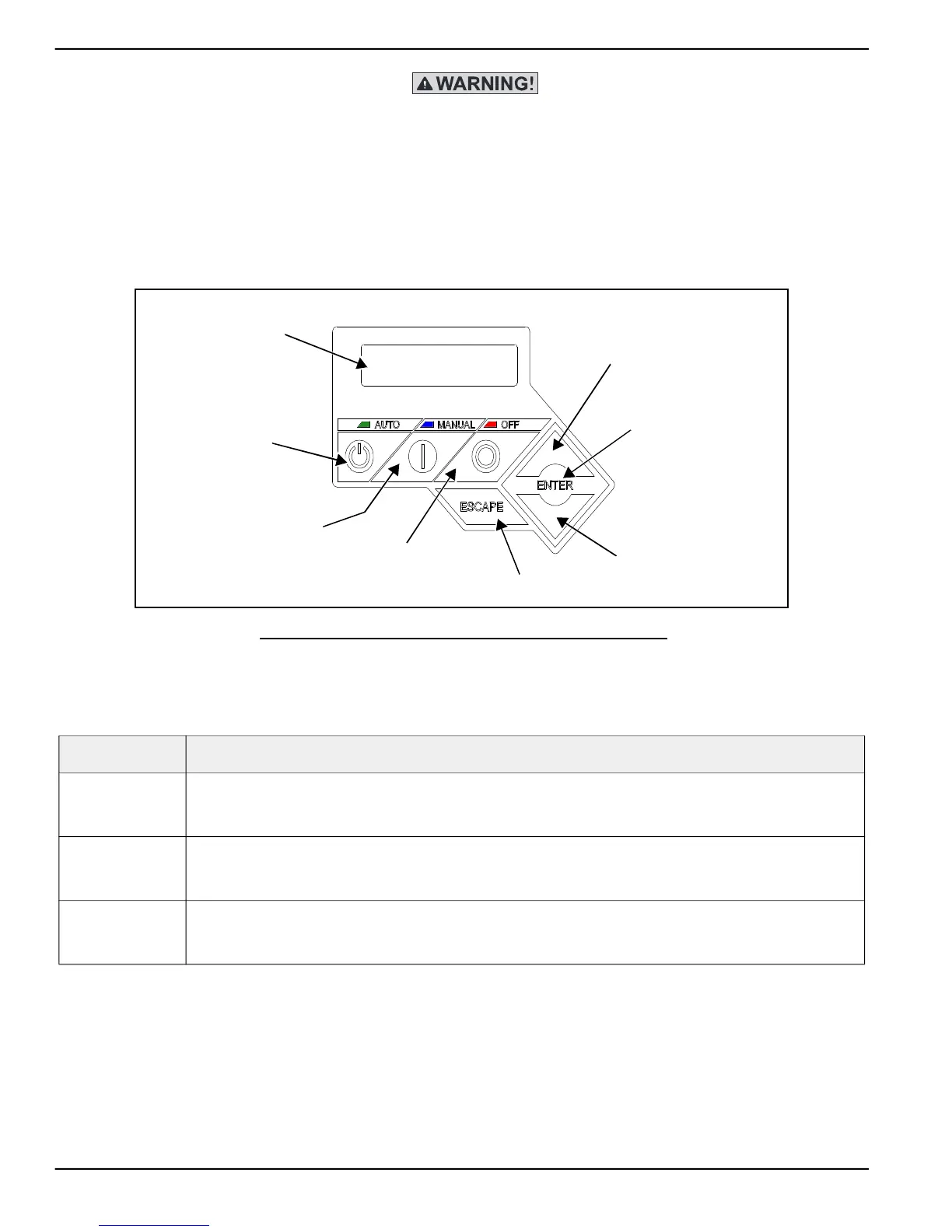
Figure 3-2. Control Pad and LCD Screen
3.2 — Auto/Manual/Off
Feature Description
AUTO
Press to activate fully automatic operation. Green LED illuminates to confirm that system is in AUTO mode.
Transfer to standby power occurs if utility power fails.
Exercise timer functionality is enabled, if set.
MANUAL
Press to crank and start engine. Blue LED illuminates to confirm that system is in MANUAL mode.
Transfer to standby power occurs if utility power fails.
Exercise timer functionality is disabled.
OFF
Press to shut down engine, if running. Red LED illuminates to confirm that system is in OFF mode.
Transfer to standby power does not occur if utility power fails.
Exercise timer functionality is disabled.
*
LCD Screen
AUTO
UP ARROW
ENTER
ESCAPE
OFF
MANUAL
DOWN ARROW
Green
LED
Blue
LED
Red
LED



 To Next Page