EasyManua.ls Logo

Generac Power Systems 6103 EcoGen - User Manual

Generac Power Systems 6103 EcoGen
56 pages
Print Icon
To Next Page IconTo Next Page
Loading...
Installation Guidelines
For
Automatic Standby Generator
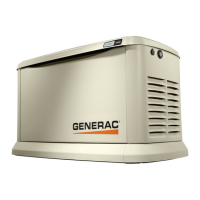
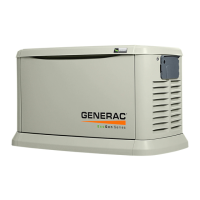
15 kW EcoGen
This manual should remain with the unit.
This manual must be used in conjunction
with the appropriate owners manual.
*
NOT INTENDED FOR USE IN CRITICAL
LIFE SUPPORT APPLICATIONS.
*
ONLY QUALIFIED ELECTRICIANS OR
CONTRACTORS SHOULD ATTEMPT
INSTALLATION!
*
DEADLY EXHAUST FUMES! OUTDOOR
INSTALLATION ONLY!
To locate in Spanish, go to http://www.generac.com/servicesupport/productsupportlookup
To locate in French, go to http://www.generac.com/servicesupport/productsupportlookup

Table of Contents

Questions and Answers

  • B
    bjohnsonAug 1, 2025
    What to do if my Generac Power Systems Inverter engine will not crank?
    • A
      Anthony JohnsonAug 1, 2025
      If your Generac Power Systems Inverter's engine won't crank, there are several potential causes: * A blown fuse: Correct the short circuit condition by replacing the 7.5 Amp fuse. * Loose, corroded, or defective battery cables: Tighten, clean, or replace them as necessary. * Defective starter contact: Tighten, clean, or replace it as needed. * Defective starter motor: Tighten, clean, or replace it as needed. * Dead battery: Charge or replace the battery.
  • A
    Amanda GreenAug 6, 2025
    Why does my Generac Power Systems 6103 EcoGen Inverter engine crank but not start?
    • A
      Ashley RichardsonAug 6, 2025
      If your Generac Power Systems Inverter engine cranks but doesn't start, consider these possibilities: * Out of fuel: Replenish the fuel and ensure the fuel valve is turned on. * Defective spark plugs: Clean, re-gap, or replace the spark plugs. * Valve clearance needs adjustment: Adjust the valve clearance.
  • K
    kathyvalenciaAug 11, 2025
    What to do if there is no AC output from my Generac Power Systems 6103 EcoGen Inverter?
    • E
      Eric LewisAug 11, 2025
      If there is no AC output from your Generac Power Systems Inverter, check if the main line circuit breaker is in the OFF (or OPEN) position. If so, reset the circuit breaker to ON (or CLOSED).
  • S
    sjohnsonAug 16, 2025
    Why does my Generac Power Systems Inverter engine start hard and run rough?
    • M
      mary56Aug 16, 2025
      If your Generac Power Systems Inverter engine starts hard and runs rough, check the following: 1. Air cleaner: Ensure it is not plugged or damaged. Replace if necessary. 2. Spark plugs: Clean, re-gap, or replace the spark plugs if they are defective. 3. Fuel regulator: Set the fuel regulator correctly. 4. Fuel pressure: Confirm the fuel pressure to the regulator is 10-12” water column (19-22mm mercury) for LP, and 3.5-7” water column (9-13mm mercury) for natural gas. 5. Fuel selector: Ensure the fuel selector is in the correct position.
  • S
    Samuel PruittAug 21, 2025
    Why is my Generac Power Systems 6103 EcoGen consuming large amounts of oil?
    • R
      Ryan KeyAug 21, 2025
      If your Generac Power Systems Inverter unit consumes large amounts of oil: * Check if the oil tank is overfilled and adjust the oil to the proper level. * Check for oil leaks caused by a damaged gasket, seal, or hose. * Ensure you are using the proper type and viscosity of oil. Refer to “Engine Oil Recommendations.”
  • P
    Pamela HamiltonAug 27, 2025
    What to do if Generac Power Systems Inverter is set to OFF, but the engine continues to run?
    • H
      Heather GuzmanAug 27, 2025
      If your Generac Power Systems Inverter engine continues to run even when set to OFF, it could be due to: * Incorrectly wired control board: Repair the wiring or replace the control board. * Defective control board: Replace the control board.

Summary

Section 1 Safety and General Information

1.1 Introduction

Overview of the generator set and its applications.

1.1.1 Read This Manual Thoroughly

Emphasizes reading and understanding the manual for safe operation.

1.1.2 How to Obtain Service

Instructions on how to get assistance for service and repairs.

1.2 Safety Rules

General safety guidelines for operating and maintaining the generator.

1.2.1 General Hazards

Identifies common hazards like exhaust fumes, moving parts, and fatigue.

1.2.2 Electrical Hazards

Details risks associated with electrical shock and proper handling.

1.2.3 Fire Hazards

Outlines fire safety measures and compliance with codes.

1.2.4 Explosion Hazards

Covers risks related to flammable gases and proper installation.

1.3 General Rules

General guidelines and precautions before starting installation.

1.3.1 Before You Begin

Steps to take before starting installation, including permits and code compliance.

1.3.2 Standards Index

Lists applicable codes and standards for installation.

Section 2 Unpacking and Inspection

2.1 General

Instructions for inspecting the generator upon delivery for damage.

2.2 Required Tools

Lists tools necessary for installation and maintenance.

2.3 Unpacking

Step-by-step guide to safely unpack the generator unit.

2.4 Parts Shipped Loose

Identifies and lists all loose parts included with the generator.

Section 3 Site Selection and Preparation

3.1 Site Selection

Guidelines for choosing a suitable location for generator installation.

3.1.1 Installation Guidelines

Specific spacing and clearance requirements for safe installation.

3.2 Site Preparation

Steps for preparing the installation site, including base preparation.

3.2.1 Material Sufficient for Level Installation

Details on preparing a level base using gravel or concrete.

Section 4 Generator Placement

4.1 Generator

Instructions for physically placing and mounting the generator.

4.2 Fascia Skirt Installation (If Applicable)

Steps for installing the decorative fascia skirt on the generator.

Section 5 Fuel Conversion;Gas Connections

5.1 Fuel Conversion

Guide on switching the generator between natural gas and LP vapor.

5.2 Fuel Requirements and Recommendations

Specifies fuel types, pressure, and Btu requirements for operation.

5.3 Fuel Consumption

Provides approximate fuel consumption rates for different loads.

5.4 Fuel Line Sizing

Details on determining the correct size for fuel supply piping.

5.4.1 Natural Gas Pipe Sizing

Tables for calculating natural gas pipe lengths based on size.

5.4.2 LP Vapor Pipe Sizing

Tables for calculating LP vapor pipe lengths based on size.

5.5 Installing and Connecting Gas Lines

Procedures for safely connecting gas lines to the generator.

Section 6 Electrical Connections

6.1 Generator Connections

Steps for making the main AC and control wiring connections.

6.2 Control Wiring

Details on control wiring length, size, and connections.

6.3 Main AC Wiring

Instructions for connecting the main AC power wires.

6.4 Automatic Voltage Regulator (AVR) Cooling Fans

Information on the AVR cooling fans and their operation.

6.5 Battery Requirements

Specifies the type and rating of the battery required.

6.6 Battery Installation

Step-by-step guide for installing the generator battery.

Section 7 Operation

7.1 Control Pad

Overview of the generator's control panel and its functions.

7.2 Auto;Manual;Off

Explains how to use the AUTO, MANUAL, and OFF modes.

7.3 Menu Navigation

Describes how to navigate through the generator's menu system.

7.4 Change Time and Date

Instructions for setting the system's time and date.

7.5 Programmable Timers

Information about the programmable timers for generator operation.

7.6 USB Port for Firmware Updates

Details on the USB port for firmware updates.

7.7 Before Initial Start-Up

Preparations and checks before the first start-up.

7.7.1 Installation Wizard

Guide to the initial setup wizard for configuring the generator.

7.7.2 Before Starting

Pre-start checks and procedures before the engine is run.

7.8 Electrical Checks

Procedures for verifying generator voltage and frequency.

7.9 Generator Tests Under Load

Steps for testing the generator's performance with electrical loads.

7.10 Checking Automatic Operation

How to verify the generator's automatic start and stop functions.

7.11 Installation Summary

Final checks to ensure proper installation and user education.

Section 8 Troubleshooting

8.1 Engine Troubleshooting

Table of common engine problems, causes, and solutions.

8.2 Generator Troubleshooting

Table of common generator alarms and troubleshooting steps.

8.3 G-Flex Troubleshooting

Specific troubleshooting for G-Flex™ system issues.

Section 9 Accessories

9.1 Descriptions

Details and descriptions of available generator accessories.

Section 10 Installation Diagrams

10.1 Installation Drawing

Provides dimensional drawings and mounting details for installation.

10.2 Off Grid Mode Application Schematic

Diagram showing the generator in an off-grid application system.

10.3 Oil Make Up System Schematic

Schematic illustrating the oil make-up system.

Generac Power Systems 6103 EcoGen Specifications

General IconGeneral
BrandGenerac Power Systems
Model6103 EcoGen
CategoryInverter
LanguageEnglish

Related product manuals