31
Buzzer Alarm Setting
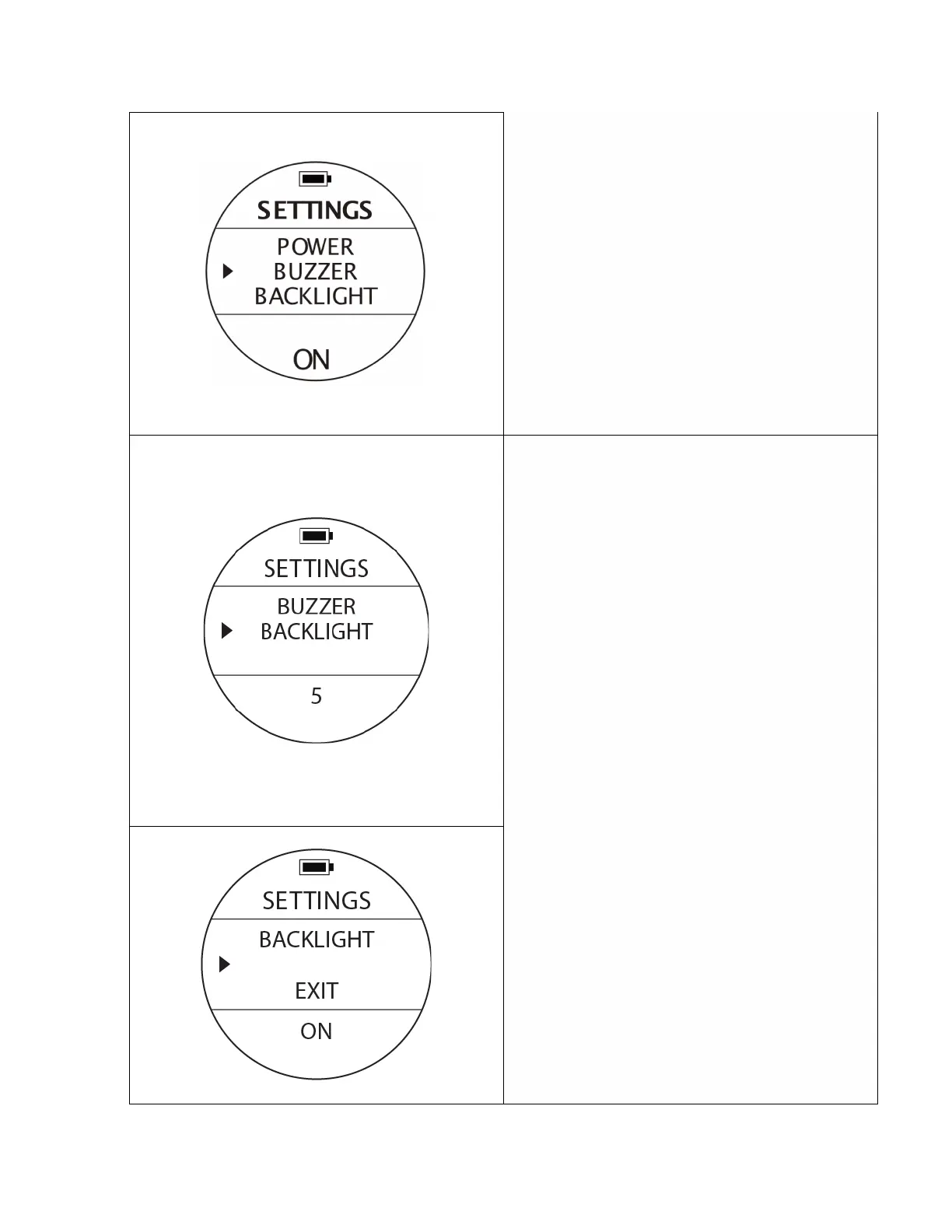
To access: From SETTINGS, press the UP or DOWN
buttons until the pointer aligns with BUZZER. Press
the MODE button once.
To change values: When you see a blinking option
at the bottom of the screen, use UP or DOWN
buttons to select a different option, then press the
MODE button to confirm and finish the settings.
Options: ON / OFF
Notes: If you turn the BUZZER off, there won’t be
any sounds even if other presets are turned on.
Back Light Intensity Setting
To access: From SETTINGS, press the UP or DOWN
buttons until the pointer aligns with BACKLIGHT.
Press the MODE button once.
To change values: When you see a blinking option
at the bottom of the screen, use UP or DOWN
buttons to select a different option, then press the
MODE button to confirm and finish the settings.
Options: There are 5 levels of the brightness 1, 2, 3,
4 and 5.
Notes: The higher the number, the brighter the
backlight will be. Higher brightness numbers will
consume more battery power affecting the running
time of the device.
Vibration Setting
To access: From SETTINGS, press the UP or DOWN
buttons until the pointer aligns with VIBRATION.
Press the MODE button once.
Change value options using the same buttons /
steps as previous settings.
Options: ON / OFF
Notes: If you turn the VIBRATION off, there won’t
be any sounds even if other presets are turned on.



 To Next Page