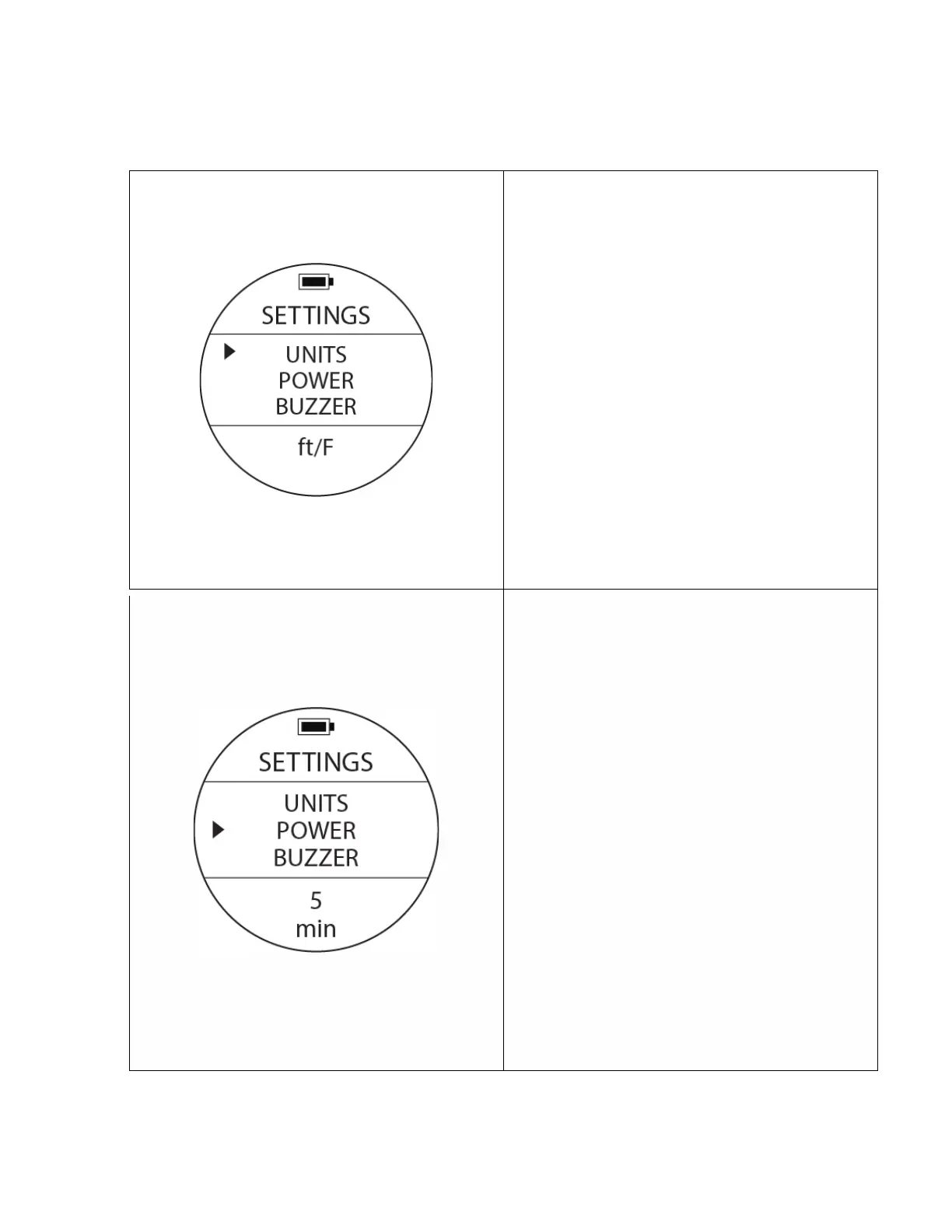
Unit Setting
To access: From SETTINGS, press the UP or DOWN
buttons until the pointer aligns with UNITS. Press
the MODE button once.
To change values: When you see a blinking option
at the bottom of the screen, use UP or DOWN
buttons to select a different option, then press the
MODE button to confirm and finish the settings.
Options:
m/C: Metric (meters and Celsius )
ft/F: Imperial (feet and Fahrenheit)
Notes: Changing this settings will affect all the
related displays. There will be round up of values
within calculations when switching units.
Power Management – Auto Power Off
To access: From SETTINGS, press the UP or DOWN
buttons until the pointer aligns with POWER. Press
the MODE button once.
To change values: When you see a blinking option
at the bottom of the screen, use UP or DOWN
buttons to select a different option, then press the
MODE button to confirm and finish the settings.
Function: Select an appropriate amount of time for
the screen to remain powered on. After the preset
time has passed, the screen will automatically turn
off. You may wake up the screen again by rotating
the device or by pressing any of the buttons. The
auto power off options are 5, 10 & 30 minutes.
Notes: Auto Power Off only applies during the
watch mode. While the computer is performing any
underwater or surface calculations (after a dive) the
screen will remain turned on.



 To Next Page