
 Need help?
Do you have a question about the Genexis FiberTwist and is the answer not in the manual?
Lists the main active device included in the package.
Refers to the device label for future reference and support.
Mentions the supplied power adapter for the device.
Shows the physical ports of the G2110 and G2120 models.
Shows the physical ports of the P2110 model.
Illustrates the physical ports for the P2410, P3410, and G2410 models.
Illustrates the physical ports for the P2420, P3420, and G2420 models.
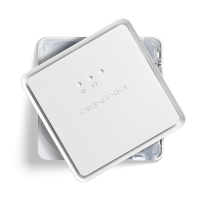
Instructions for removing the blind cover or FiberTwist.
Explains soft and factory reset functions for the device.
Describes how the dim button controls device light brightness.
Illustrates the sequence of brightness levels for the dim button.
Details the ports on the end panel of the GPON series devices.
Details the ports on the end panel of Point to Point series devices.
Ensures a power socket is nearby and prepares the device box.
Instructions to remove the blind cover by rotating it.
Guide to remove the dust cap from the rear of the FiberTwist.
Instructions to place and rotate the FiberTwist onto the FTU.
Connect the required CATV and LAN cables to the device.
Connect the power adapter and turn on the device.
 General
| Connector Type | SC/APC |
|---|---|
| Fiber Count | 1 |
| Humidity | 5% to 95% (non-condensing) |
| Operating Temperature | 40°C |
| Category | Network |
| Type | Fiber Termination |
| Storage Temperature | -20°C |

 To Next Page





